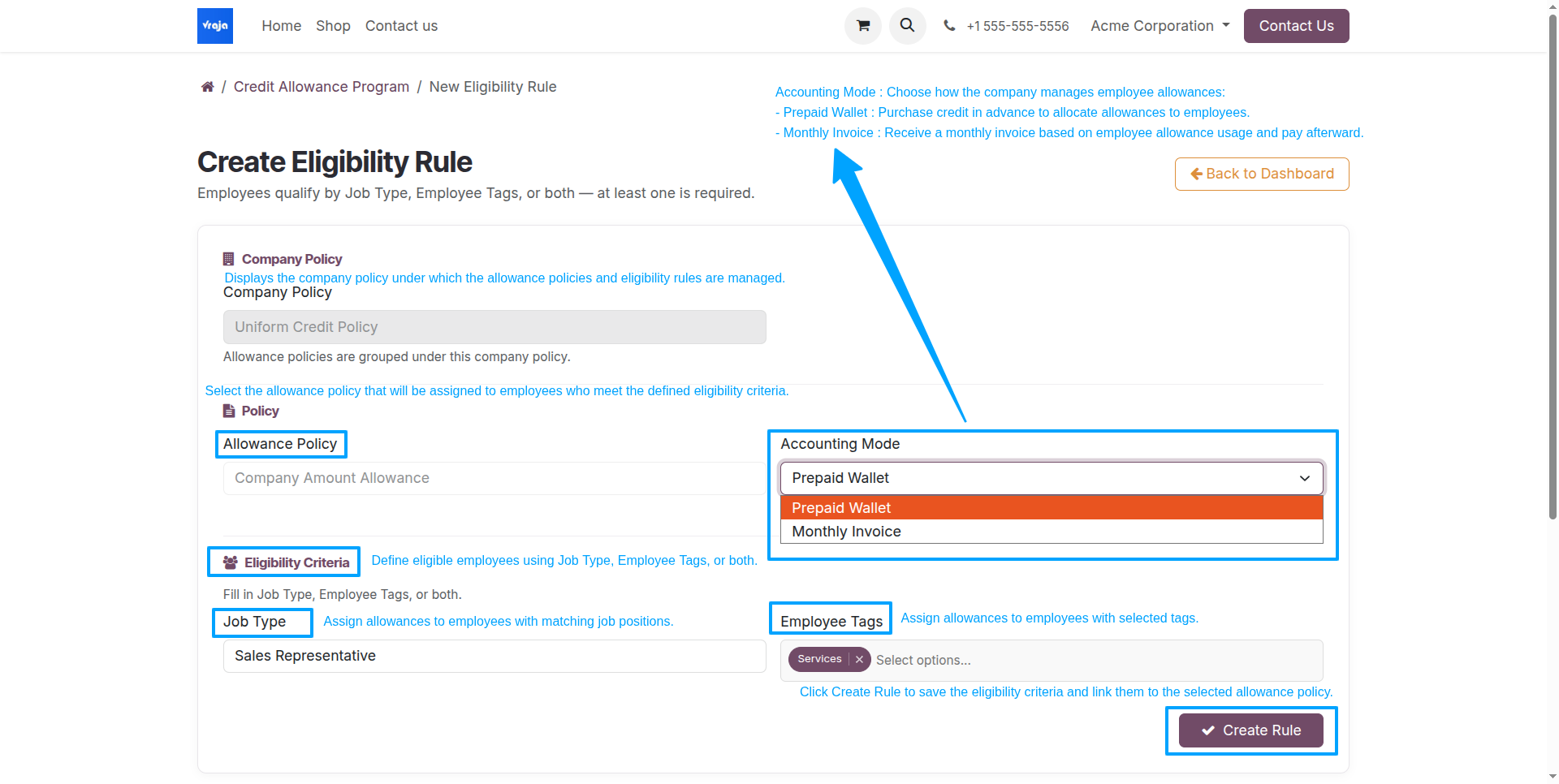
Create an Employee Eligibility Rule
After saving the allowance policy, configure its Employee Eligibility Rule to determine which employees will receive that allowance. Select the allowance policy, the accounting mode, and the applicable job types or employee tags.
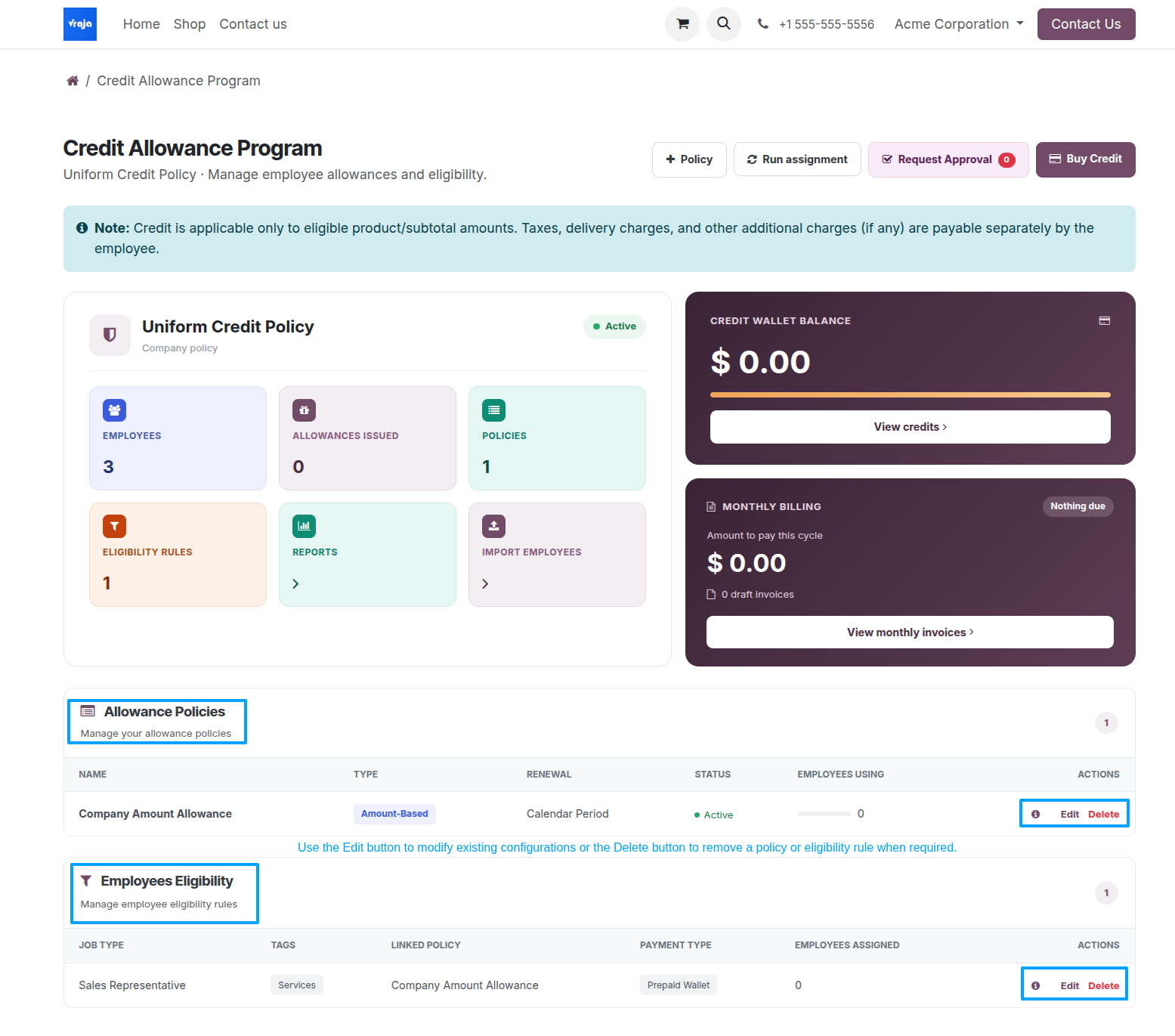
Saved allowance policies and eligibility rules appear in their respective sections on the Credit Program Dashboard. Review these records before issuing allowances.
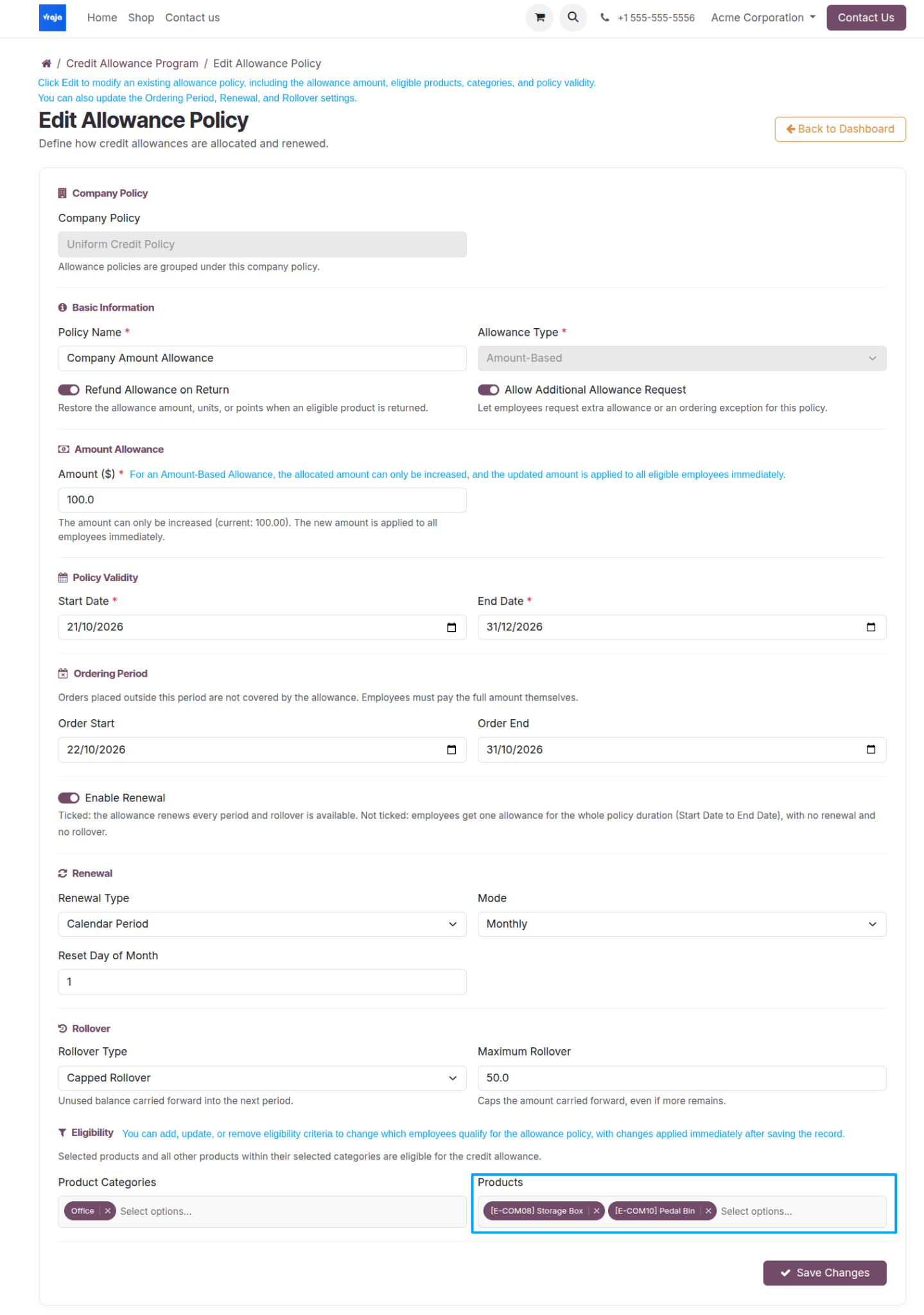
Edit an Allowance Policy
From the dashboard, use Edit next to an allowance policy, review the configuration, then save the changes.
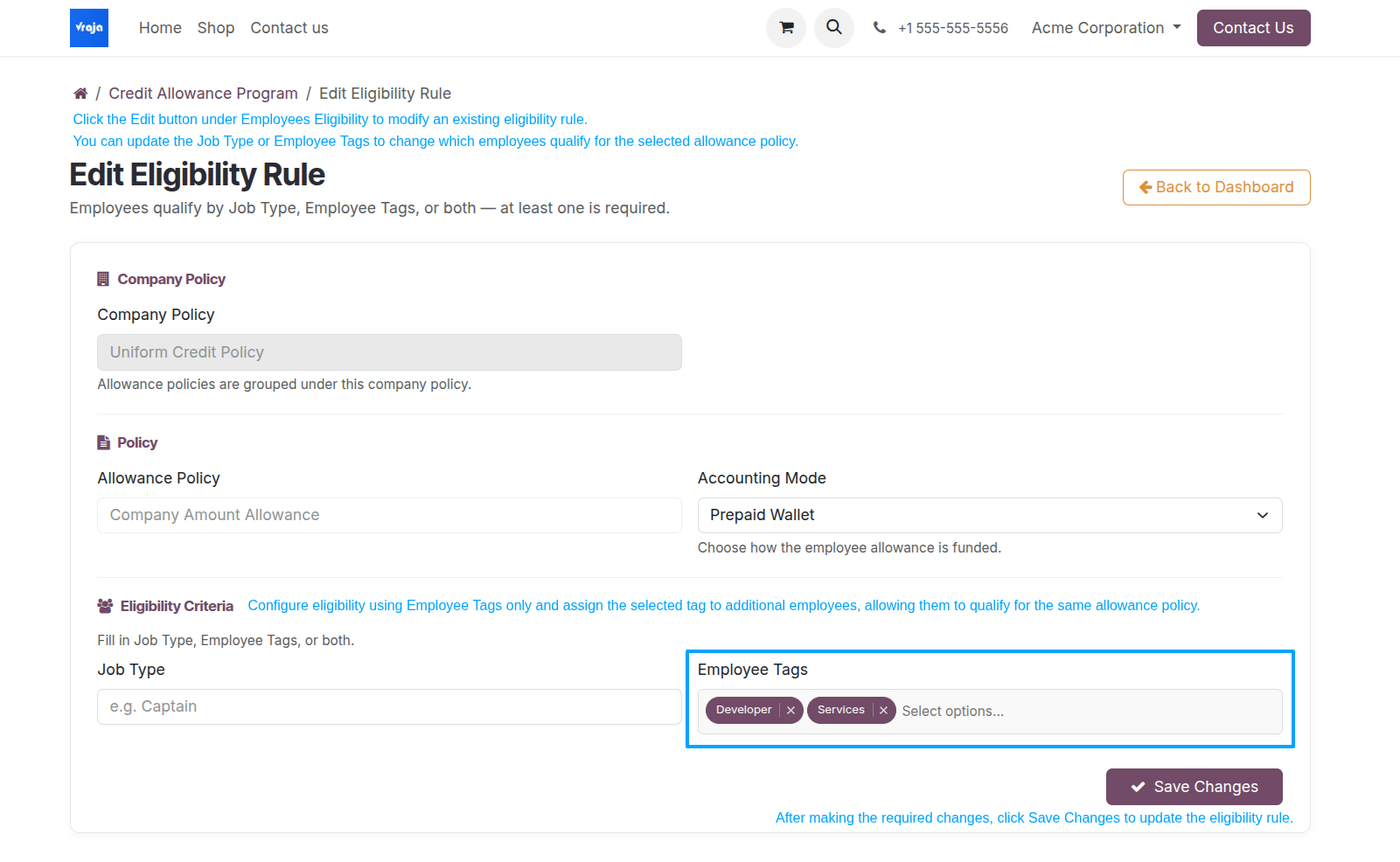
Edit an Employee Eligibility Rule
Use Edit beside the eligibility rule to update the job type or employee tags; save the revised rule.