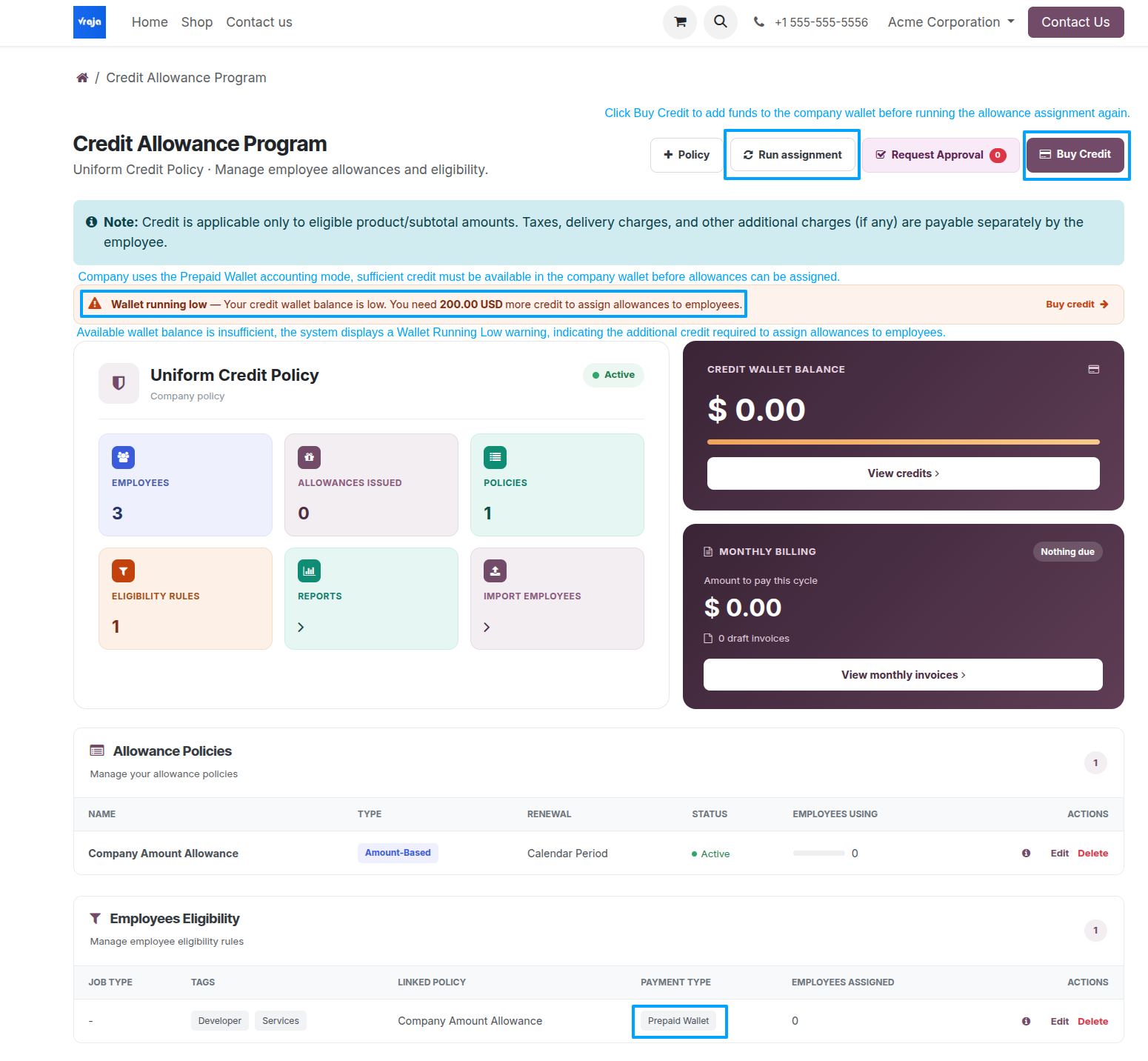
Run Allowance Assignment
On the Credit Program Dashboard, select Run Assignment to issue allowances to employees who match the configured policies and eligibility rules. For prepaid policies, sufficient company wallet funding is required.
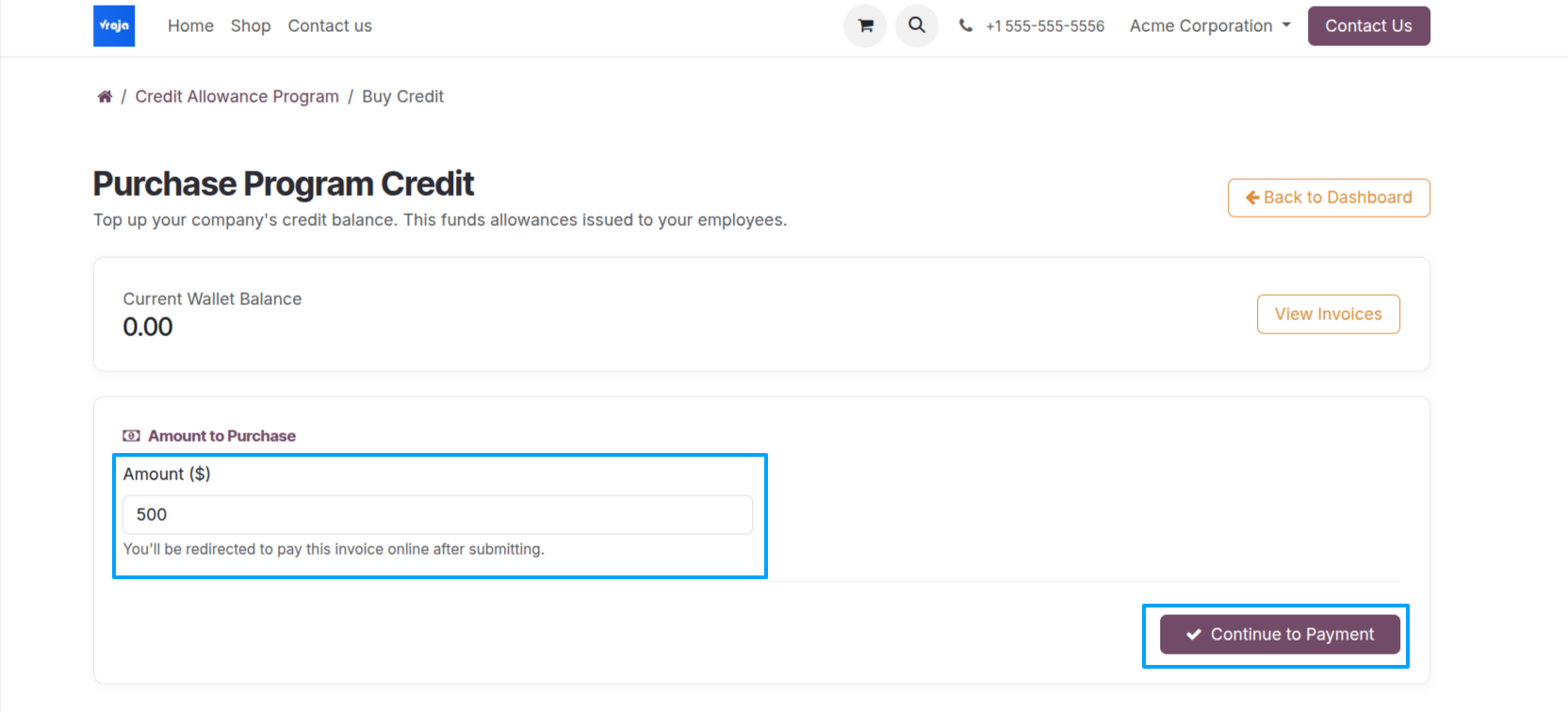
Buy prepaid company credit
To add prepaid funds, select Buy Credit. Enter the top-up amount and choose Continue to Payment.
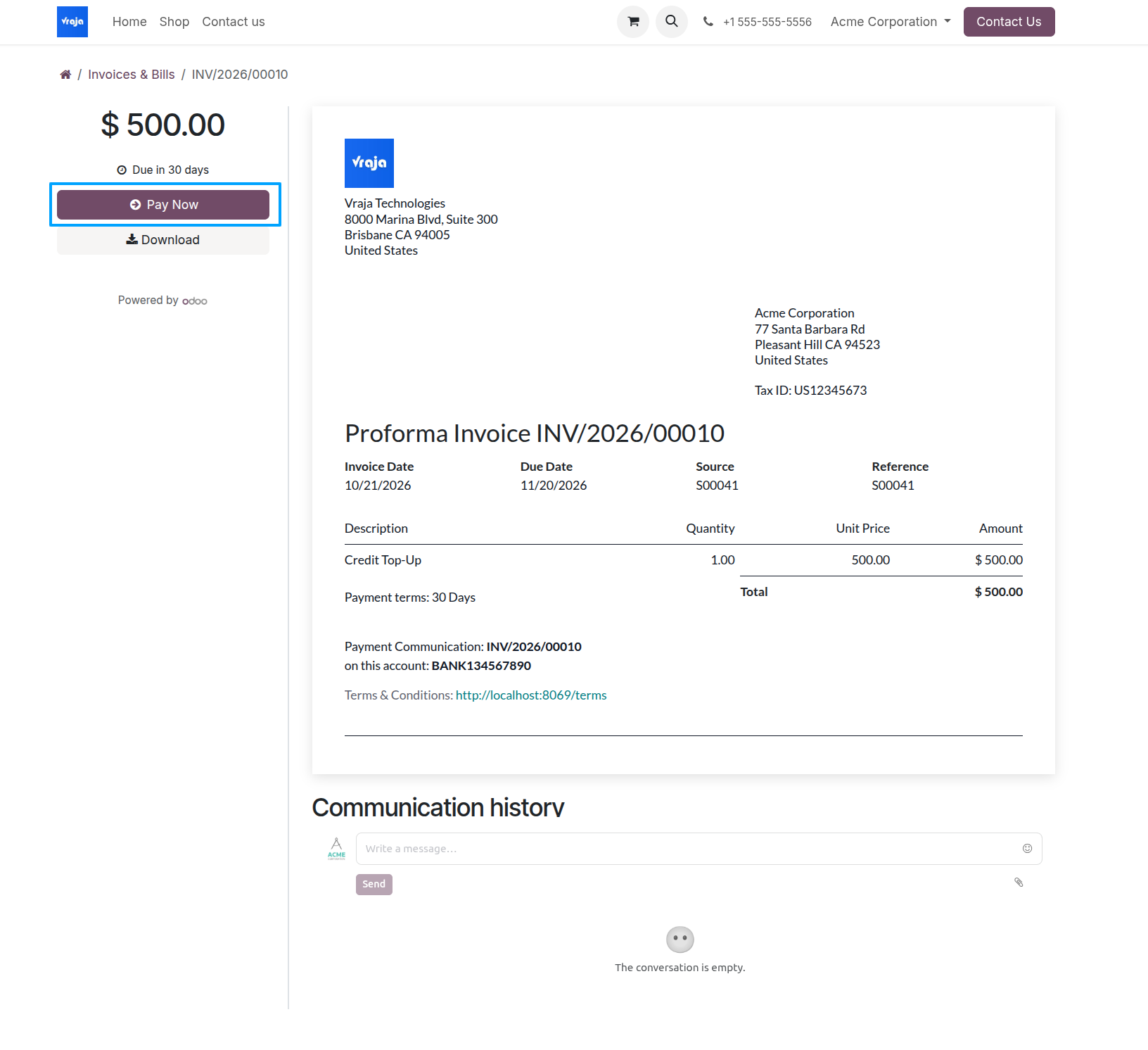
Pay the top-up invoice
The system generates a credit top-up invoice for the selected amount. Open the invoice and select Pay Now to complete the payment using an available payment method.
Issue allowances
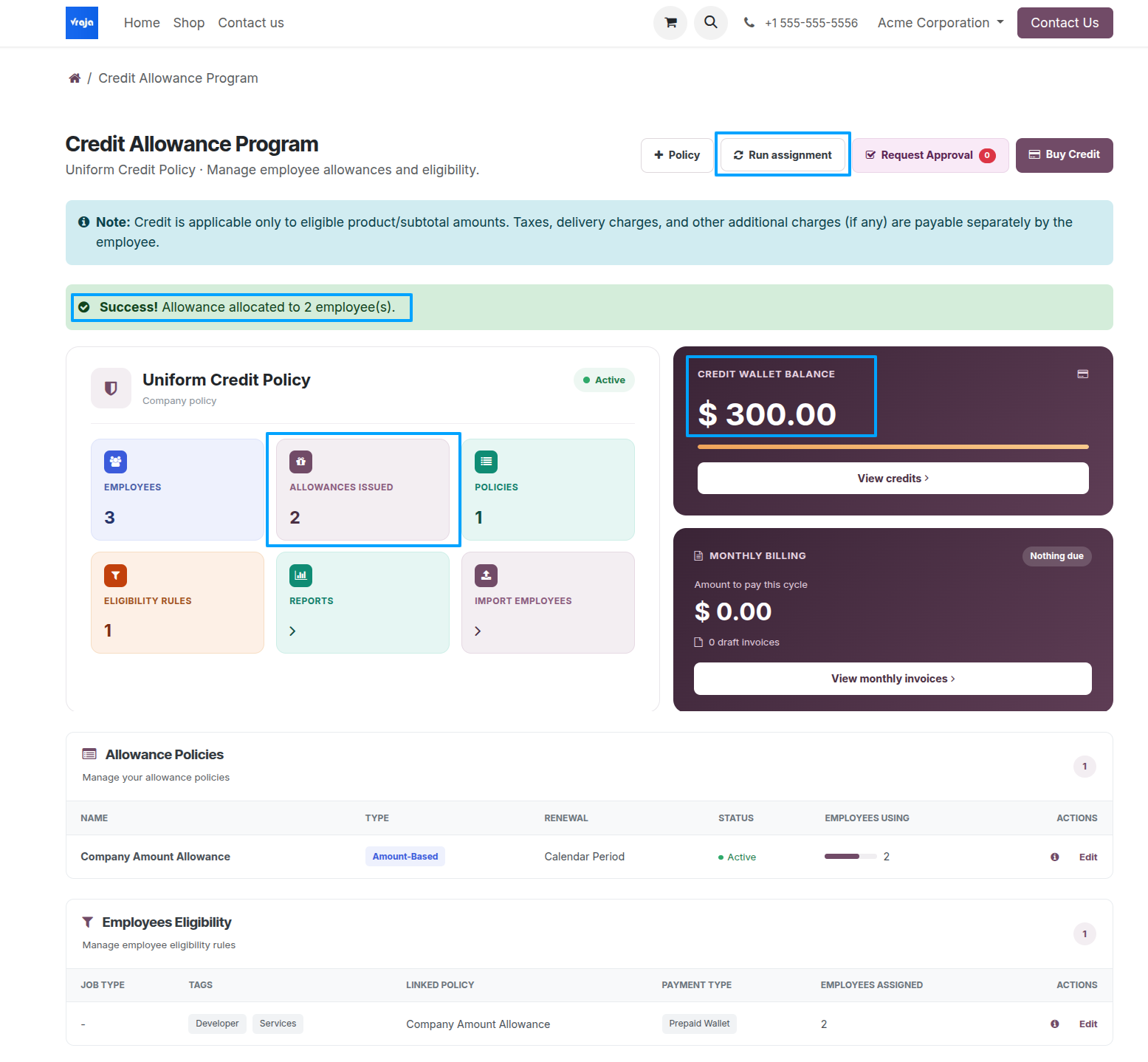
After the top-up is paid, return to the Credit Program Dashboard and select Run Assignment. The dashboard reflects the number of allowances issued and the remaining company wallet balance.
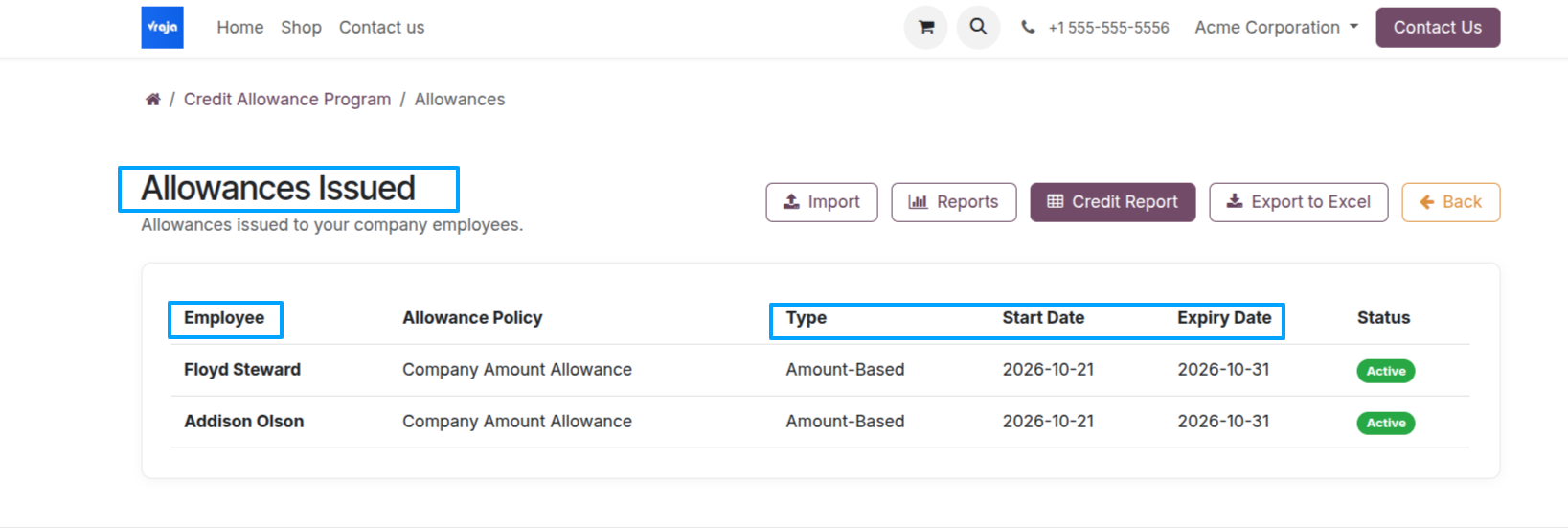
Review issued allowances
Select Allowances Issued to review recipients, their Allowance Policy and Allowance Type, Start Date, Expiry Date, and current Status.