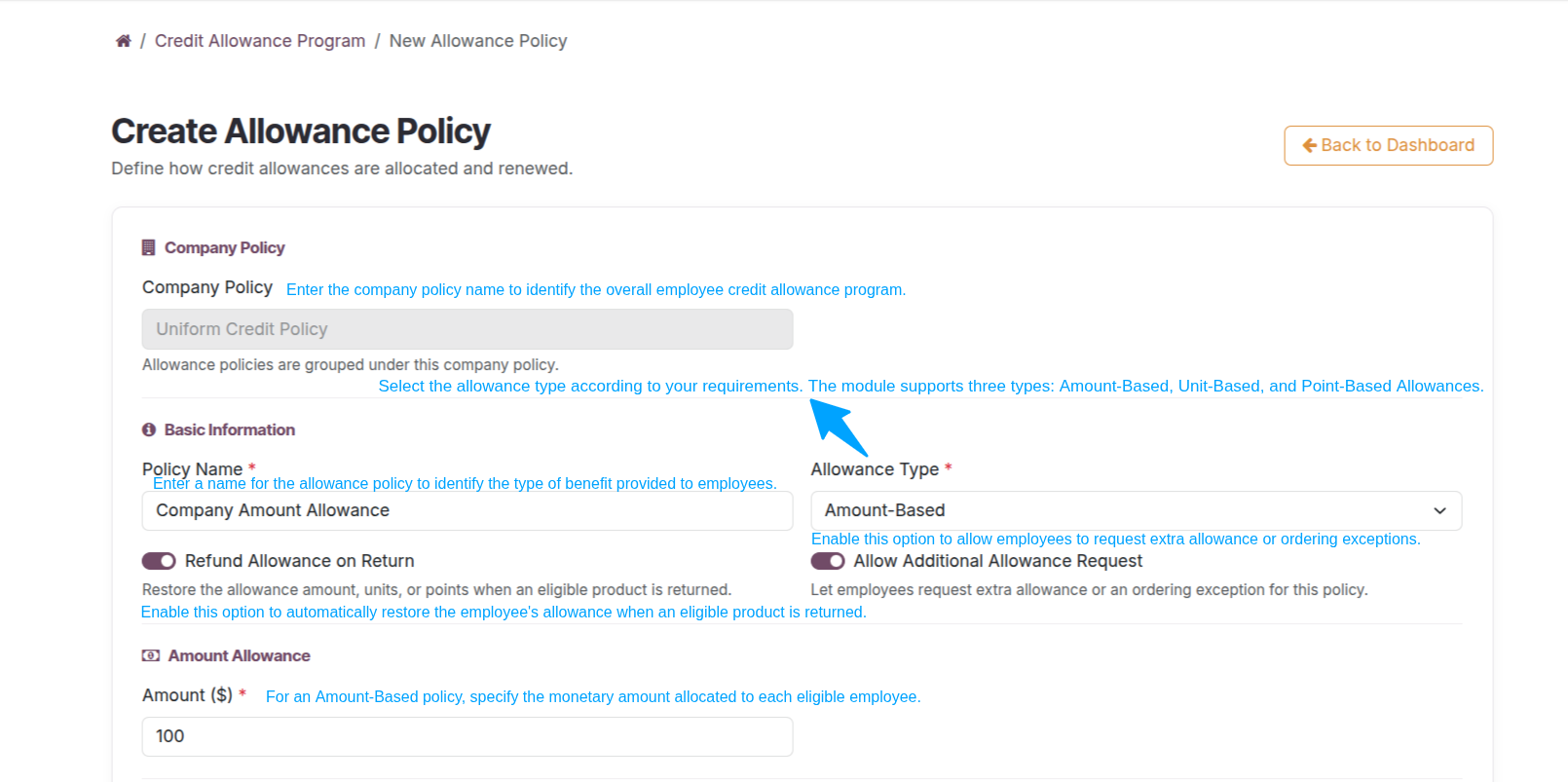
Create an Allowance Policy
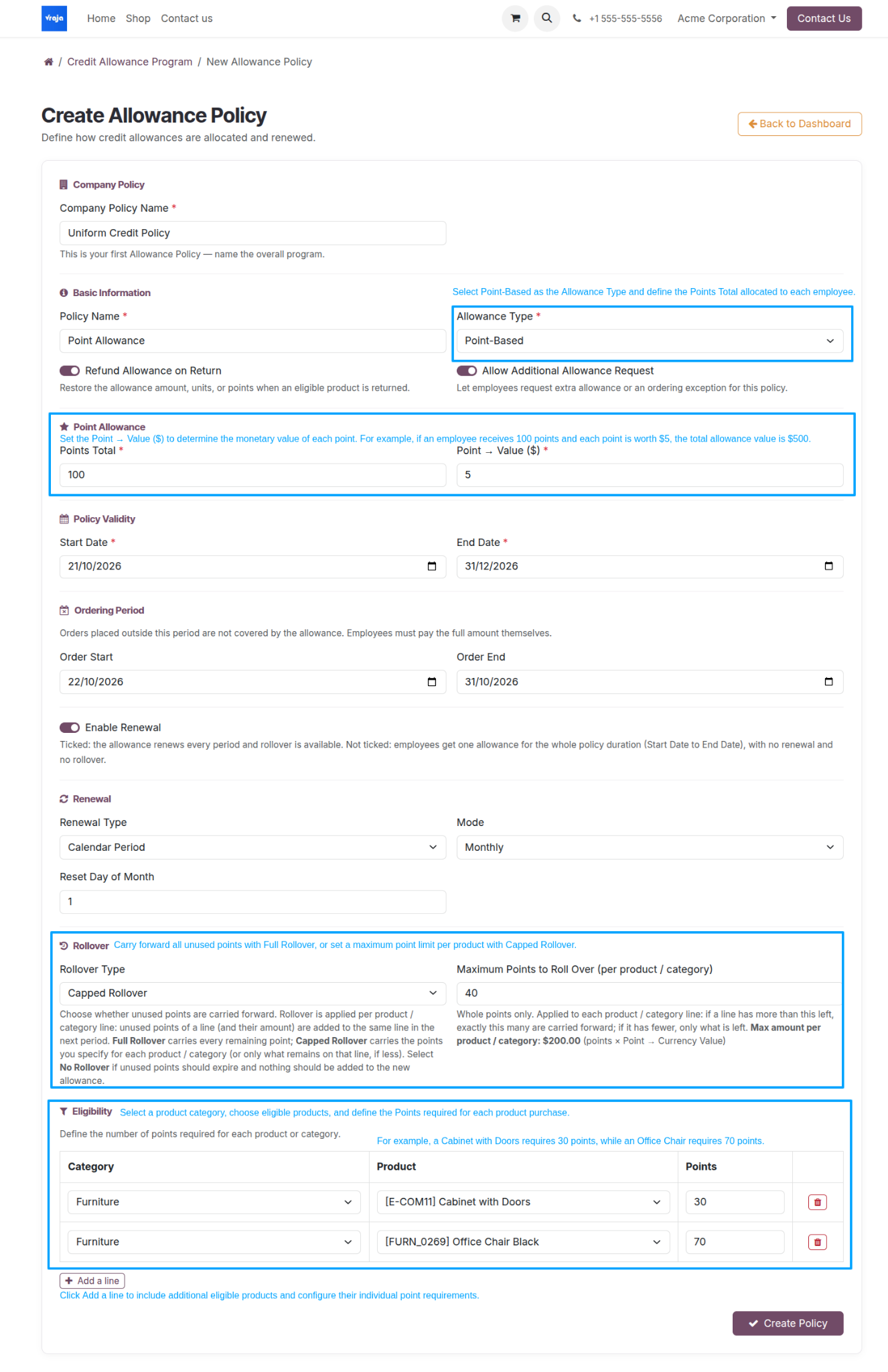
Select + Policy. Enter a company policy name, a policy name, and an allowance type. Configure the amount, units, or points as applicable, then define validity, ordering dates, renewal, rollover, and product eligibility settings.
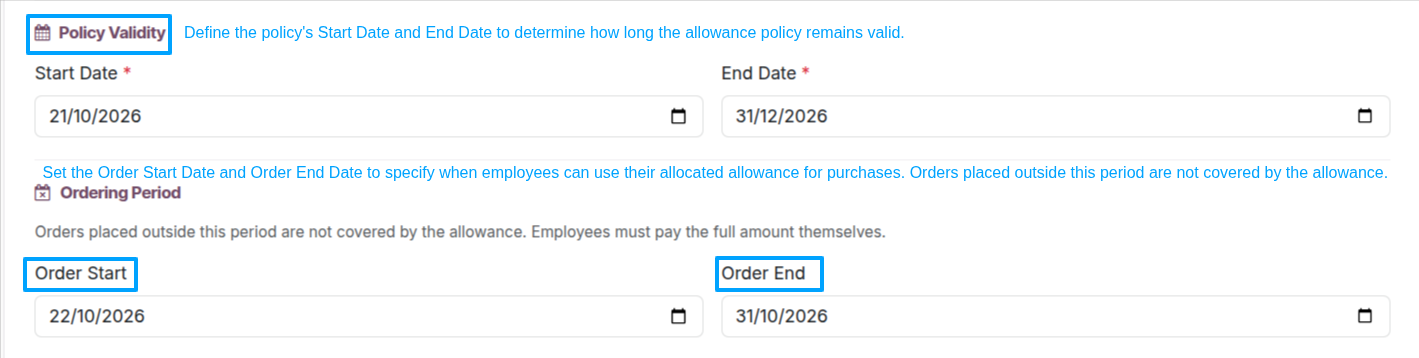
Policy Validity and Ordering Period
Set the policy start and end dates. If an ordering window is configured, purchases outside the permitted dates are not covered by the allowance.
Renewal and Rollover Settings
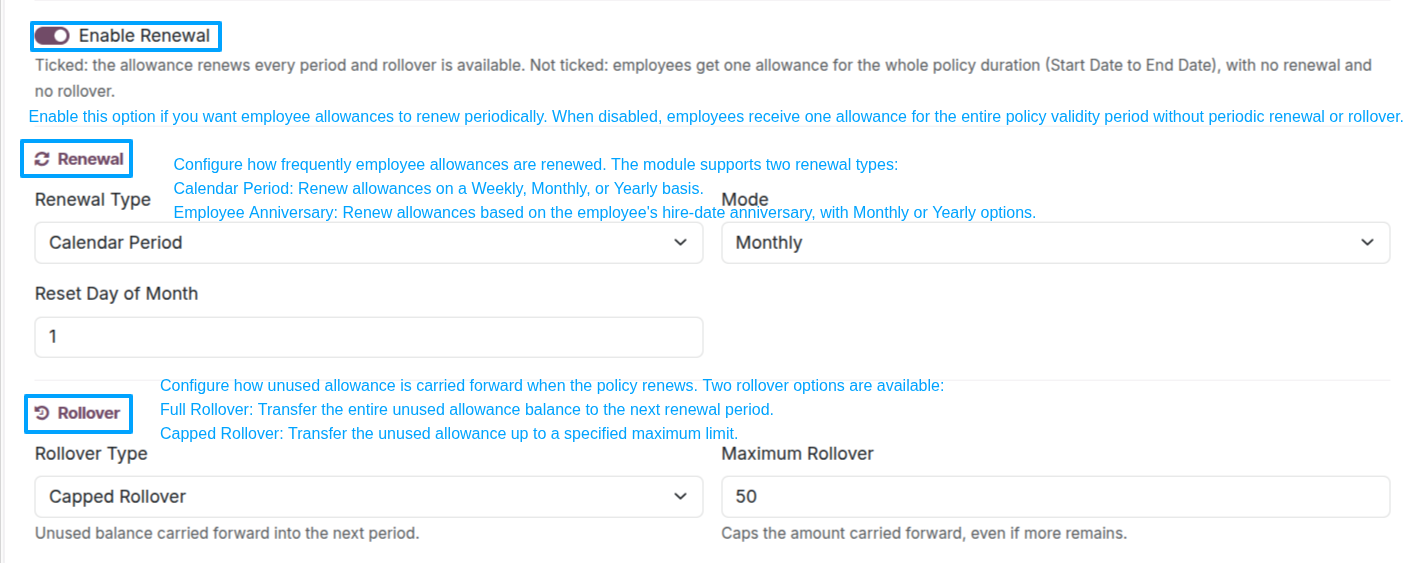
Enable periodic renewal when required. Choose the renewal method and frequency, then select full, capped, or no rollover according to the policy.
Eligible Products and Categories
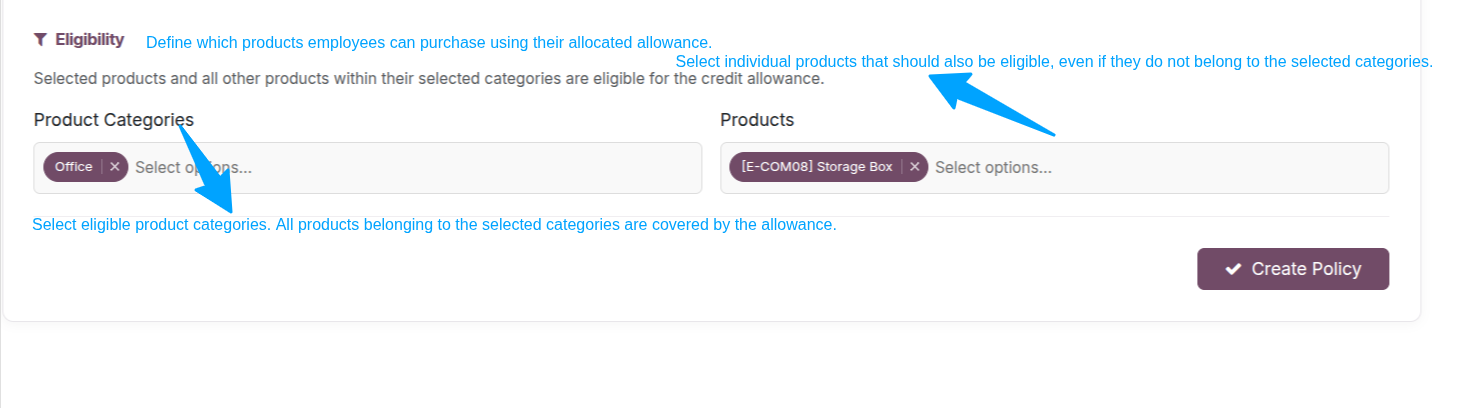
Select eligible products or product categories. The allowance will not apply to purchases outside these selections.
Unit-Based Allowance Policy
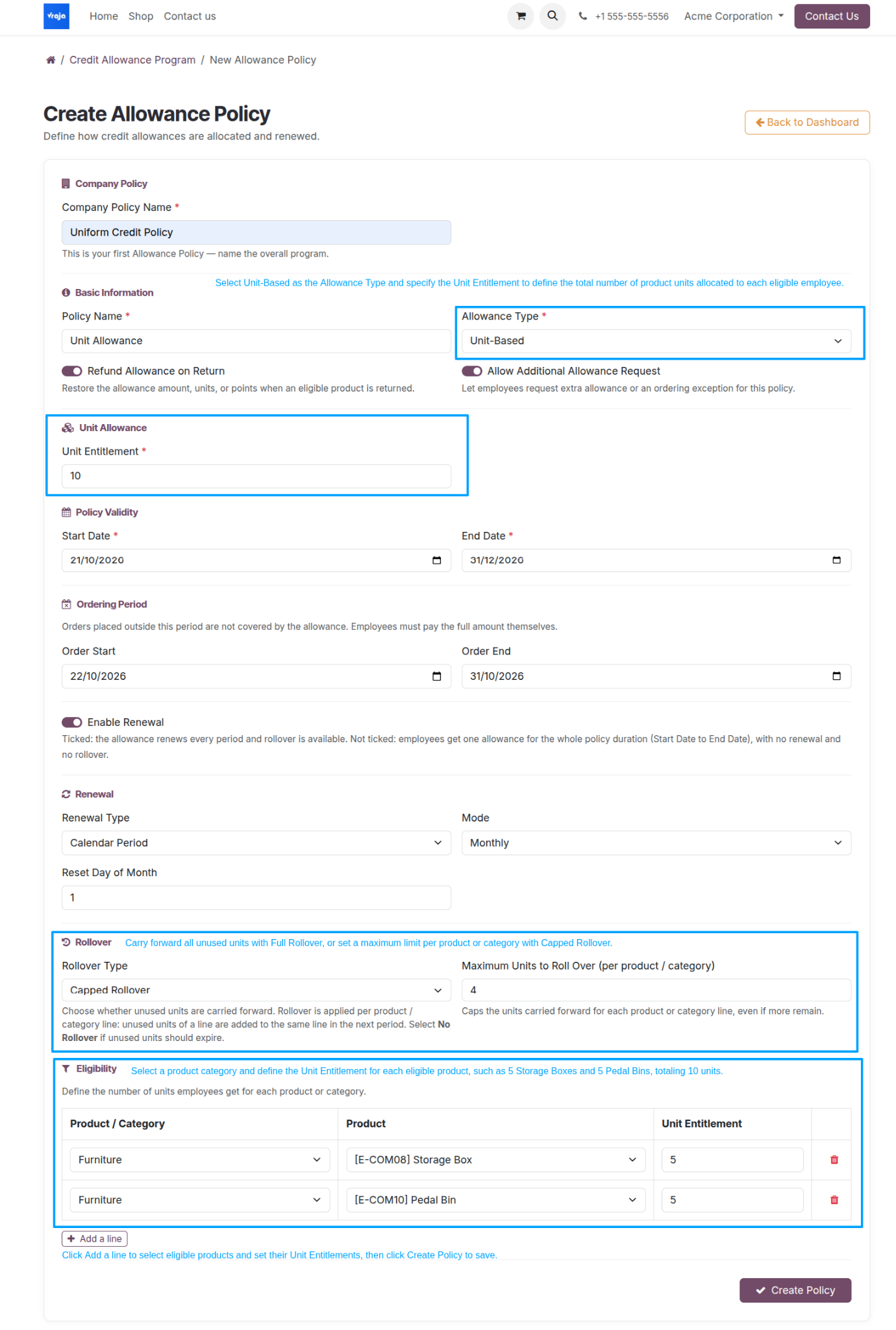
A company may create multiple allowance policies for different employee groups. For a unit-based policy, specify the permitted quantity for each selected product or category and configure any unit rollover limits.
Point-Based Allowance Policy
A point-based policy allocates purchasing points instead of a currency balance or a fixed quantity. Define the points granted and the point cost of eligible products; configure validity, renewal, and rollover where required.