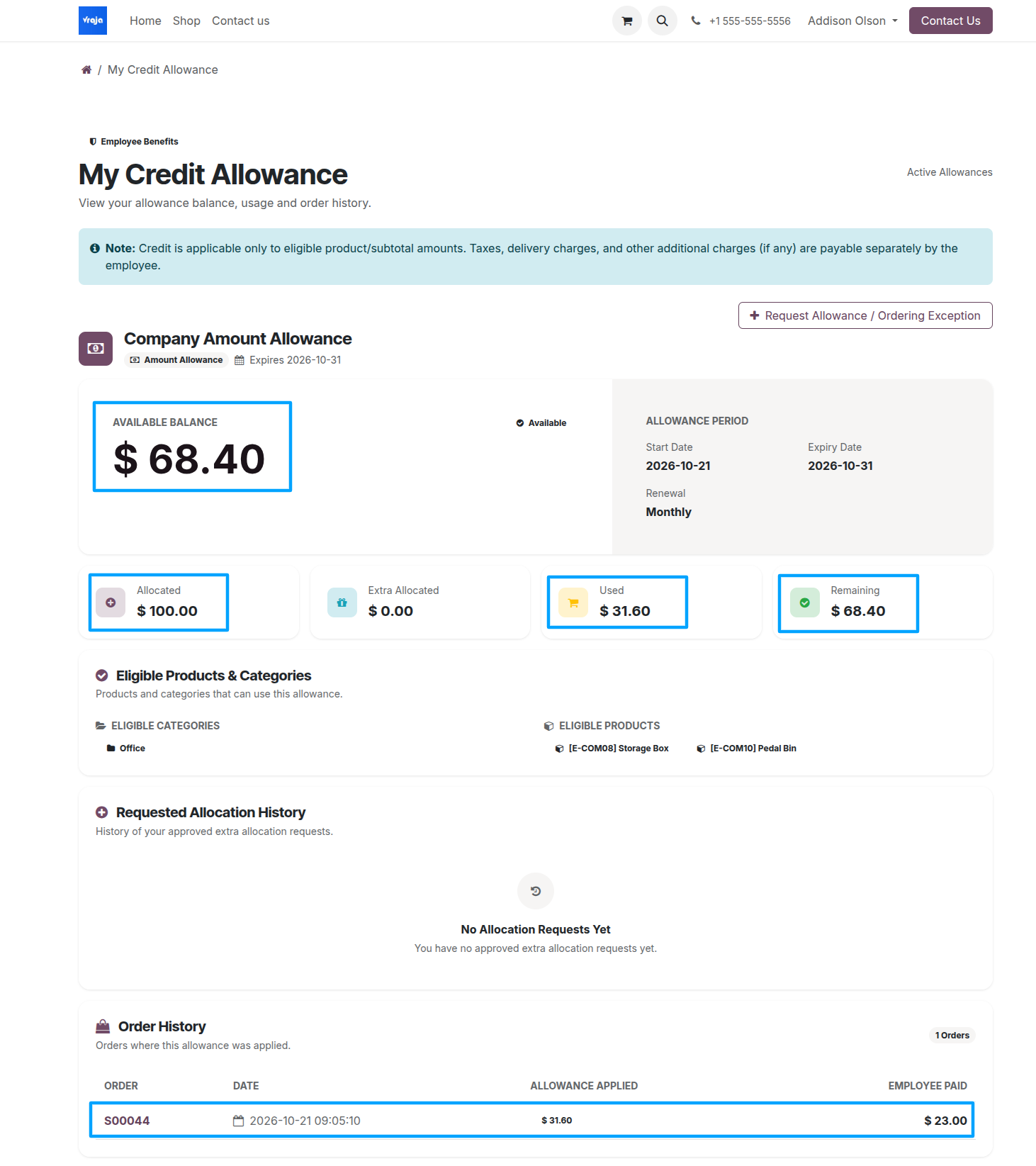
Employee Portal – My Credit Allowance
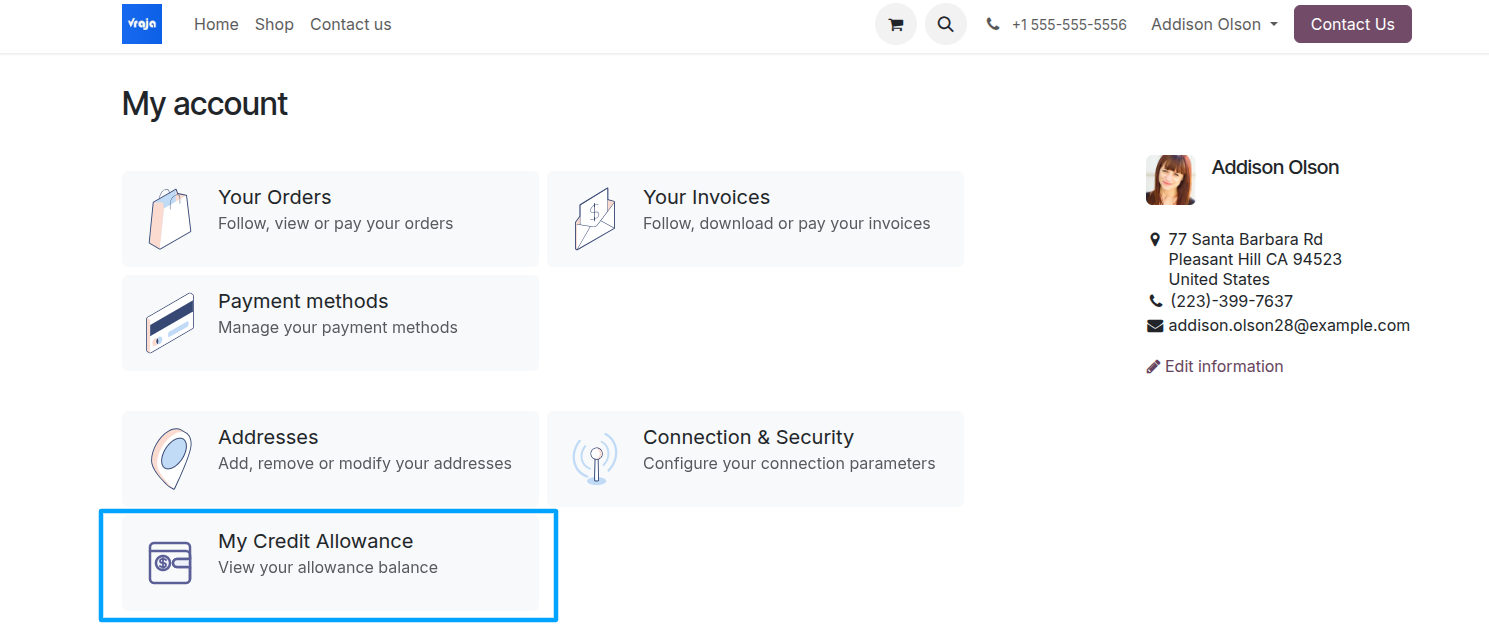
Employees sign in with their portal accounts and open My Account → My Credit Allowance to review active allowances and eligible products.
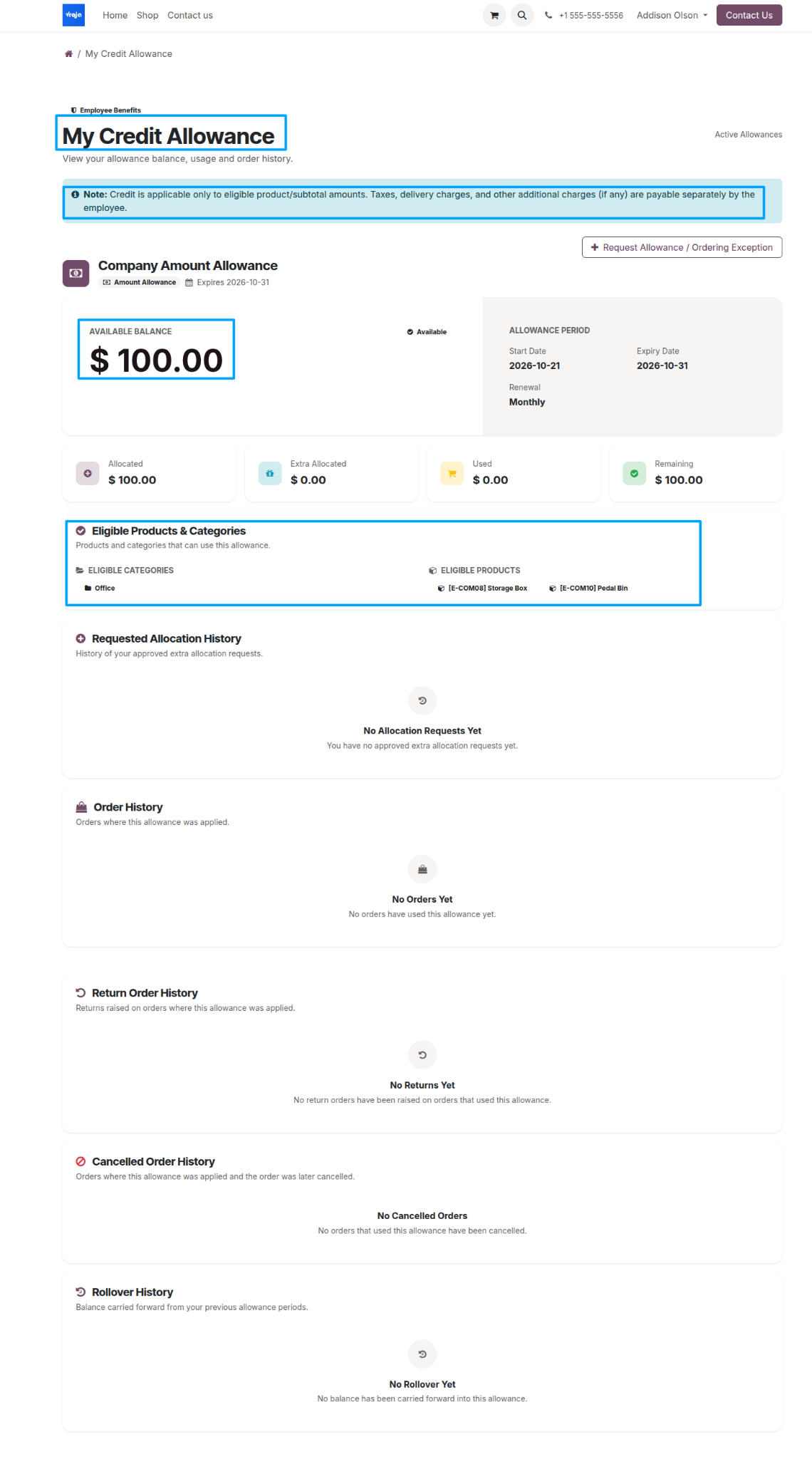
Review allowance details
The My Credit Allowance page displays Allocated Allowance, Used Amount, Extra Allocation, Available Balance, and the Validity Period. It also includes Eligible Products & Categories, Order History, Return History, Cancelled Orders, Additional Allowance Requests, and Rollover History.
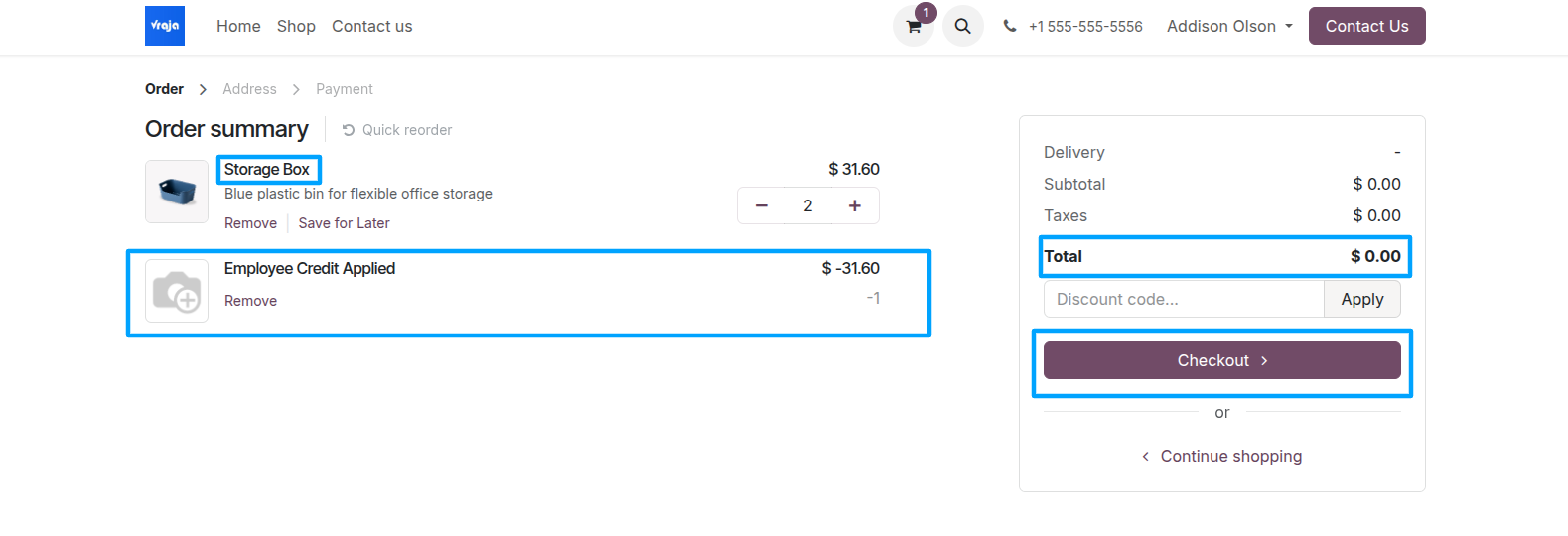
Add eligible products to the cart
When an employee adds an eligible product to the cart, the checkout applies available Employee Credit Allowance toward the eligible product subtotal.
Eligible and non-eligible products
For a cart containing both eligible and non-eligible products, only the eligible portion is covered by the allowance. The employee pays for non-eligible products and applicable taxes, delivery fees, and other charges.
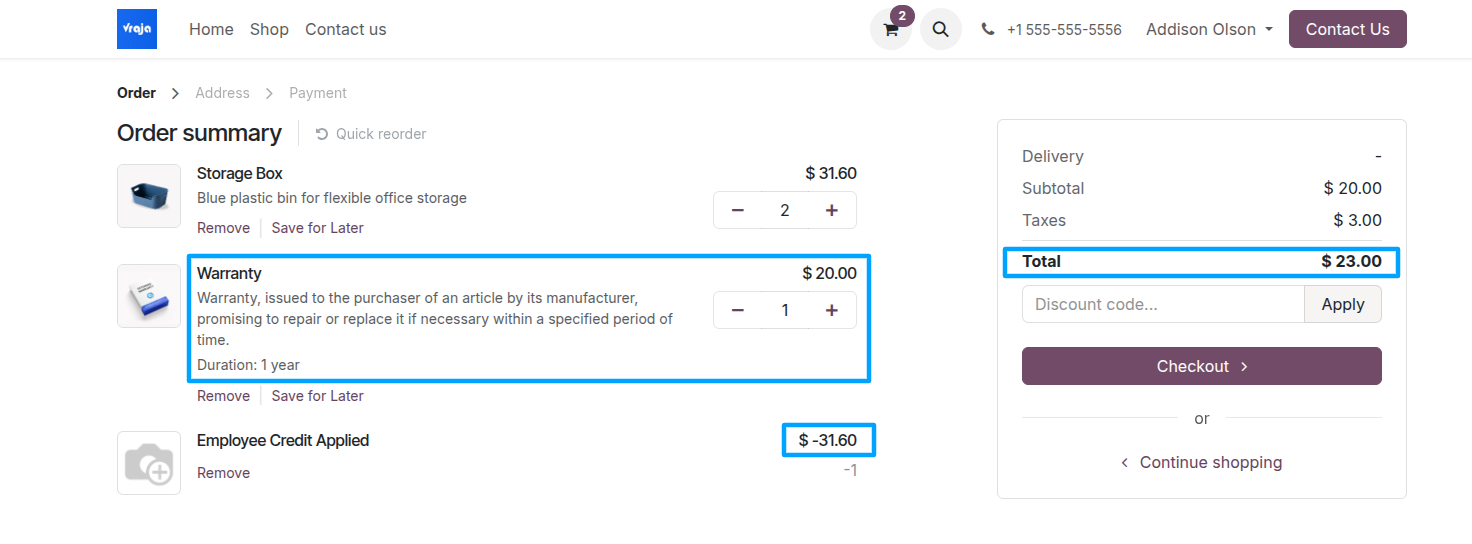
Complete split payment
At checkout, the employee pays only the portion of the order not covered by the Employee Credit Allowance, subject to the configured payment method.
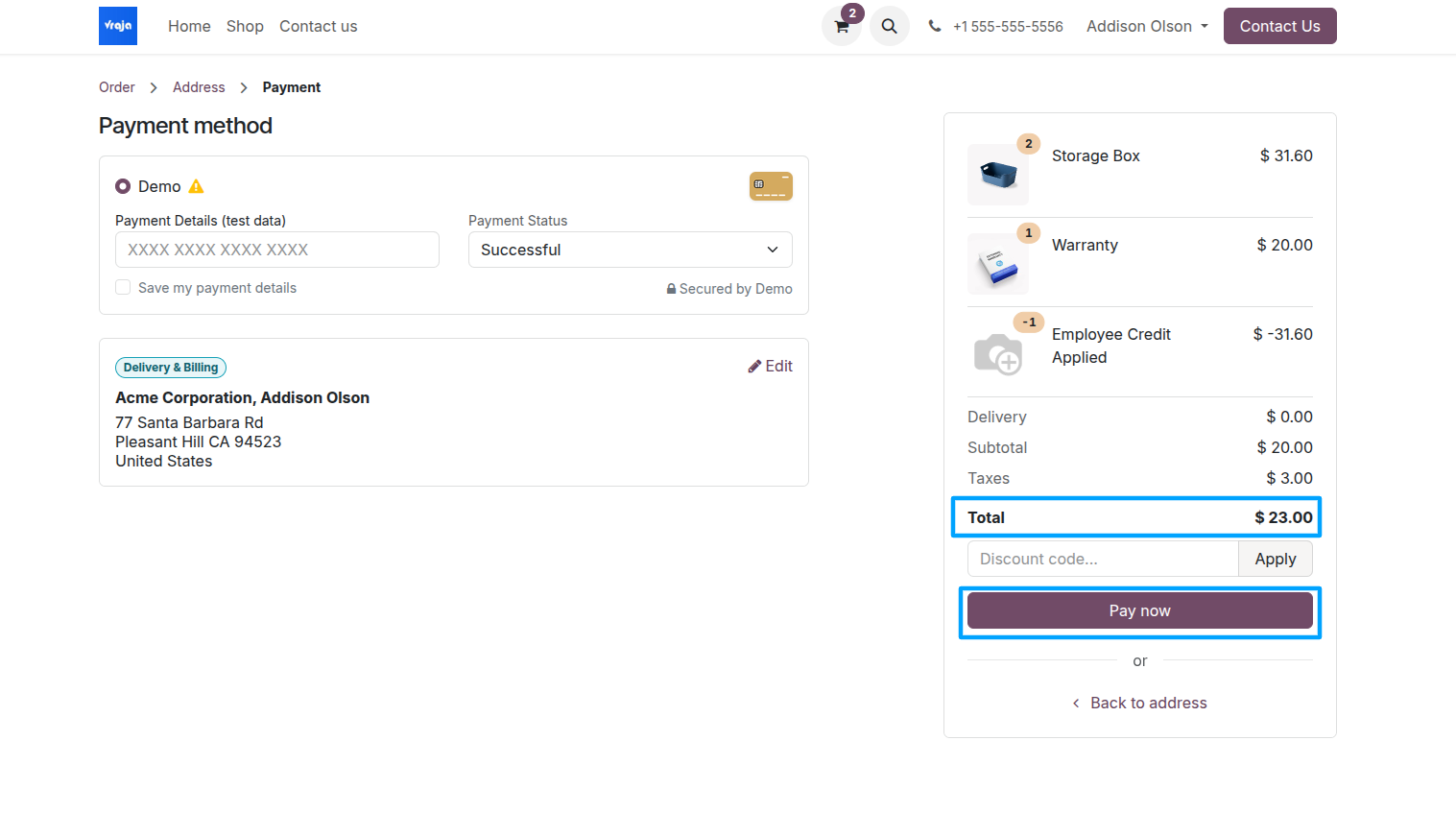
Review the purchase
After a successful purchase, employees can return to My Credit Allowance to review their updated allocation, usage, remaining balance, and order history. Order details distinguish the allowance applied from the amount paid by the employee.