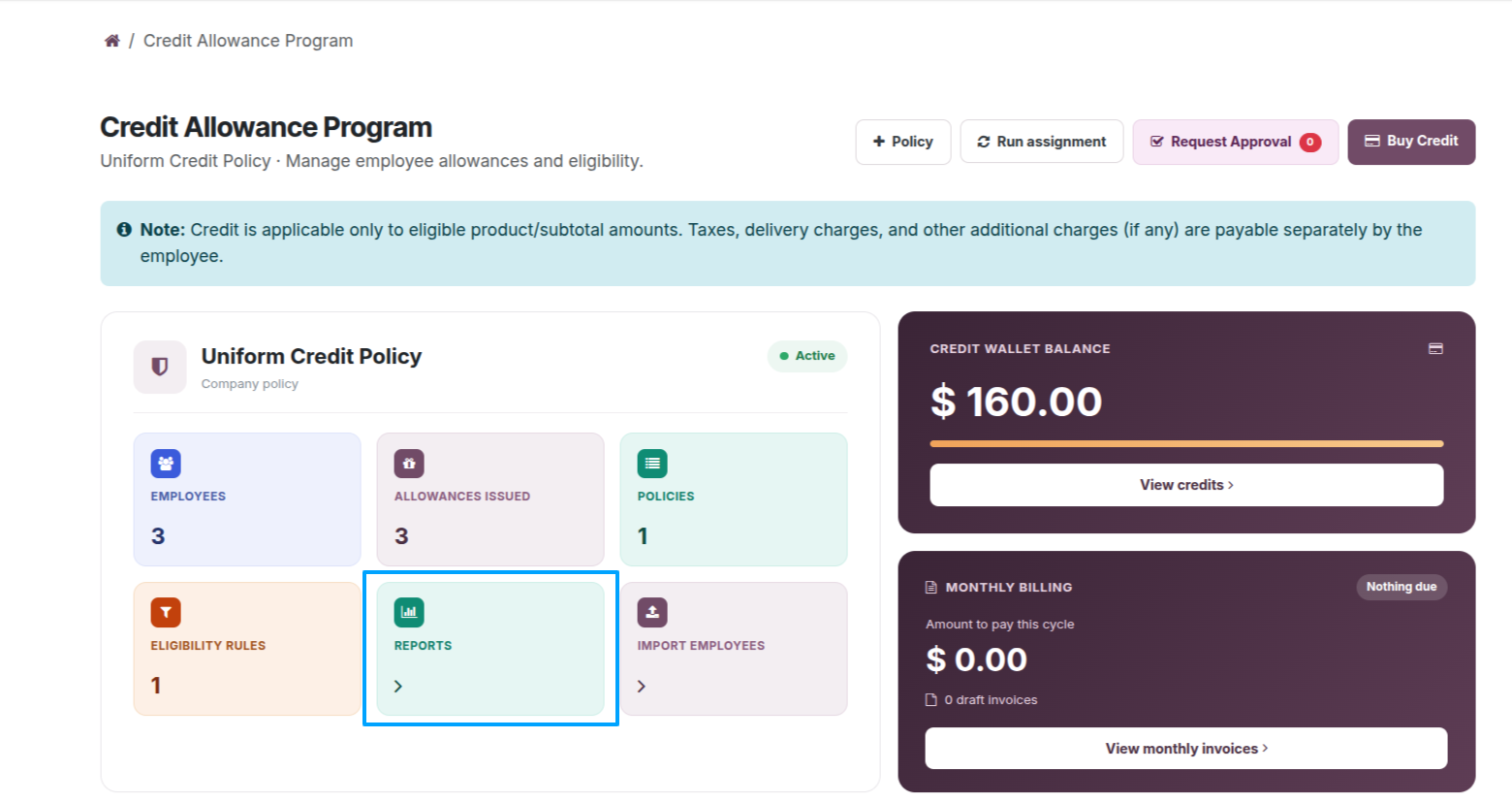
Select Reports on the company dashboard to open the allowance reporting area.
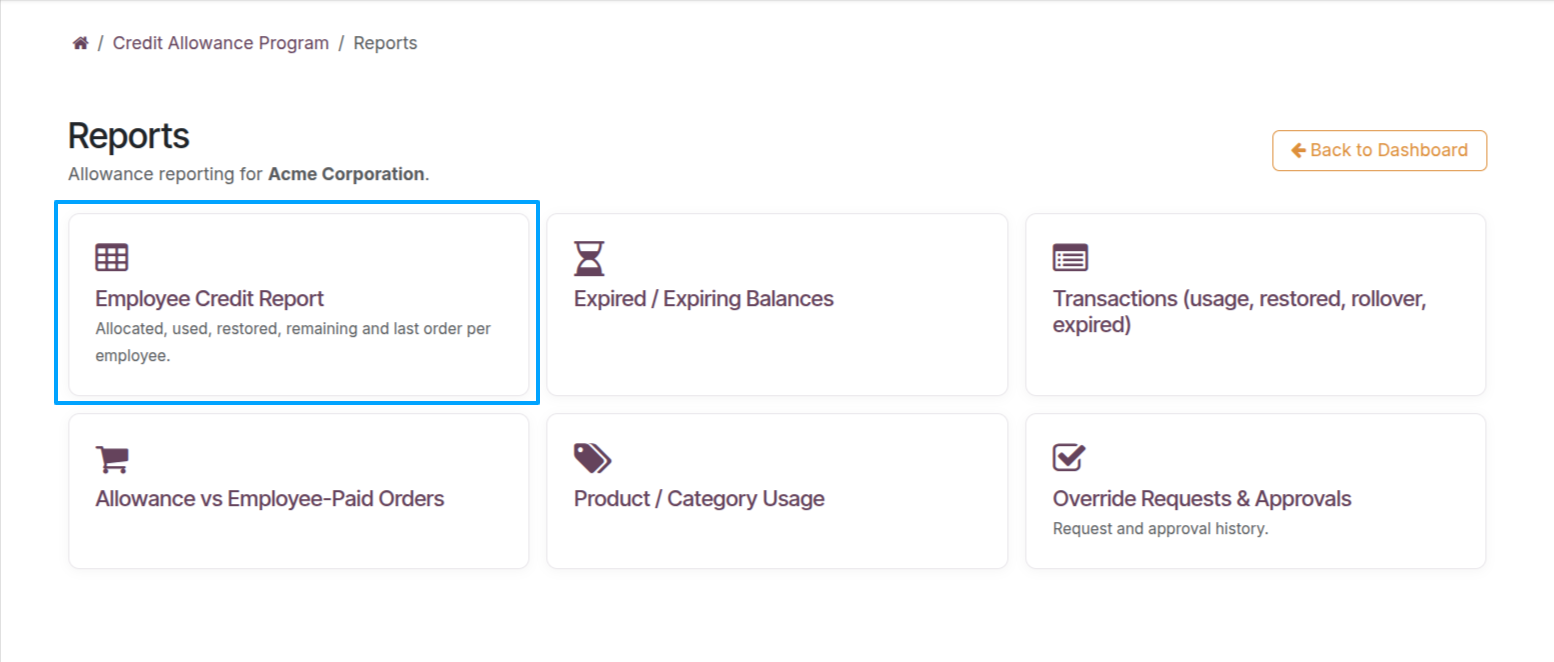
Open Employee Credit Report to review allocations, usage, restorations, and remaining balances.
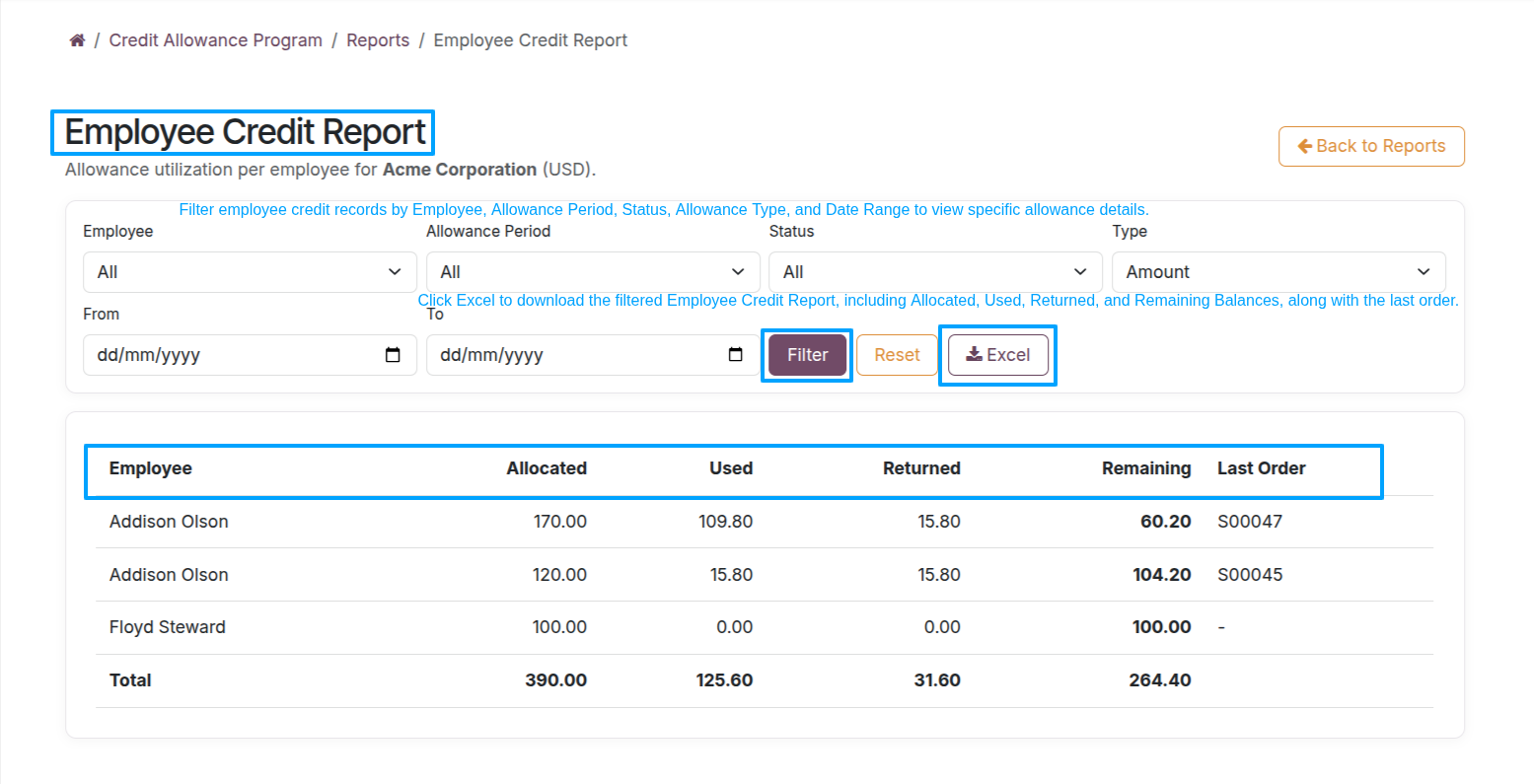
Employee Credit Report — Review allocated, used, returned, and remaining balances by employee. Use the available filters and Excel export when further analysis is needed.
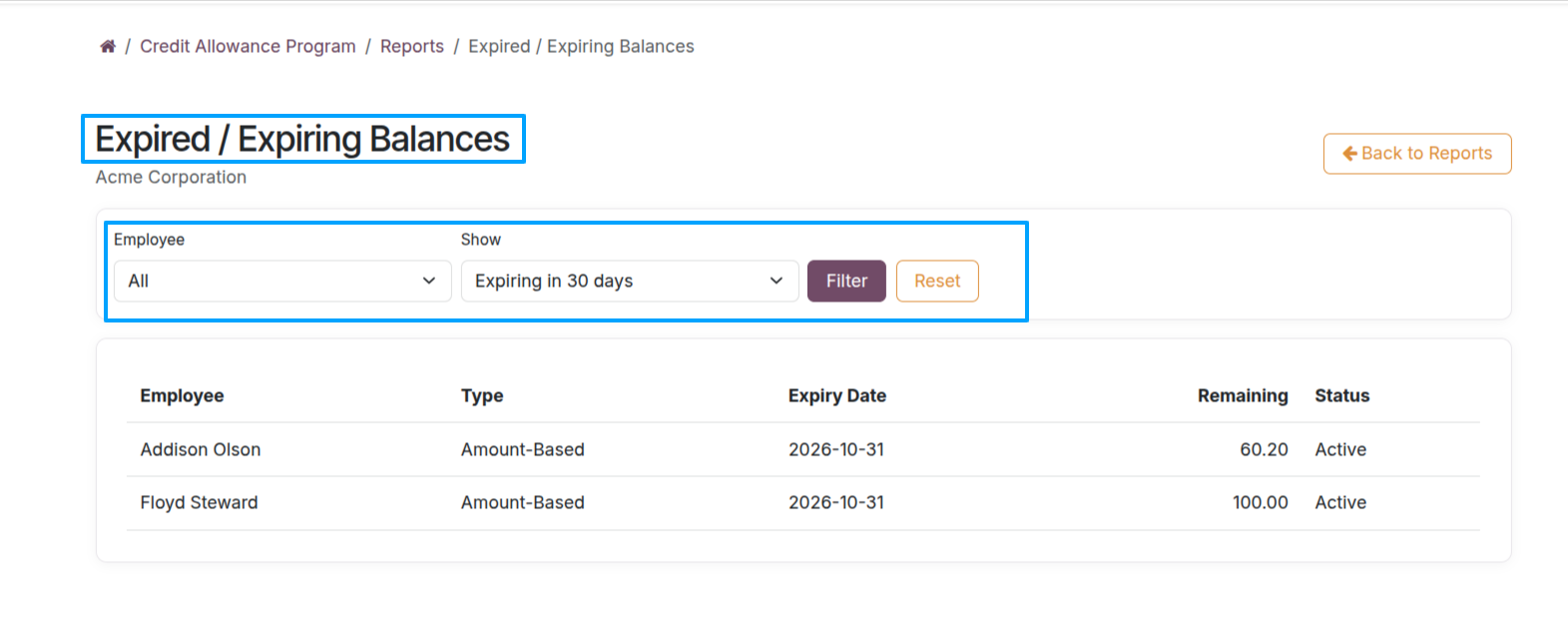
Expired / Expiring Balances Report — Identify expired and soon-to-expire allowances, their expiry dates, and their remaining balances.
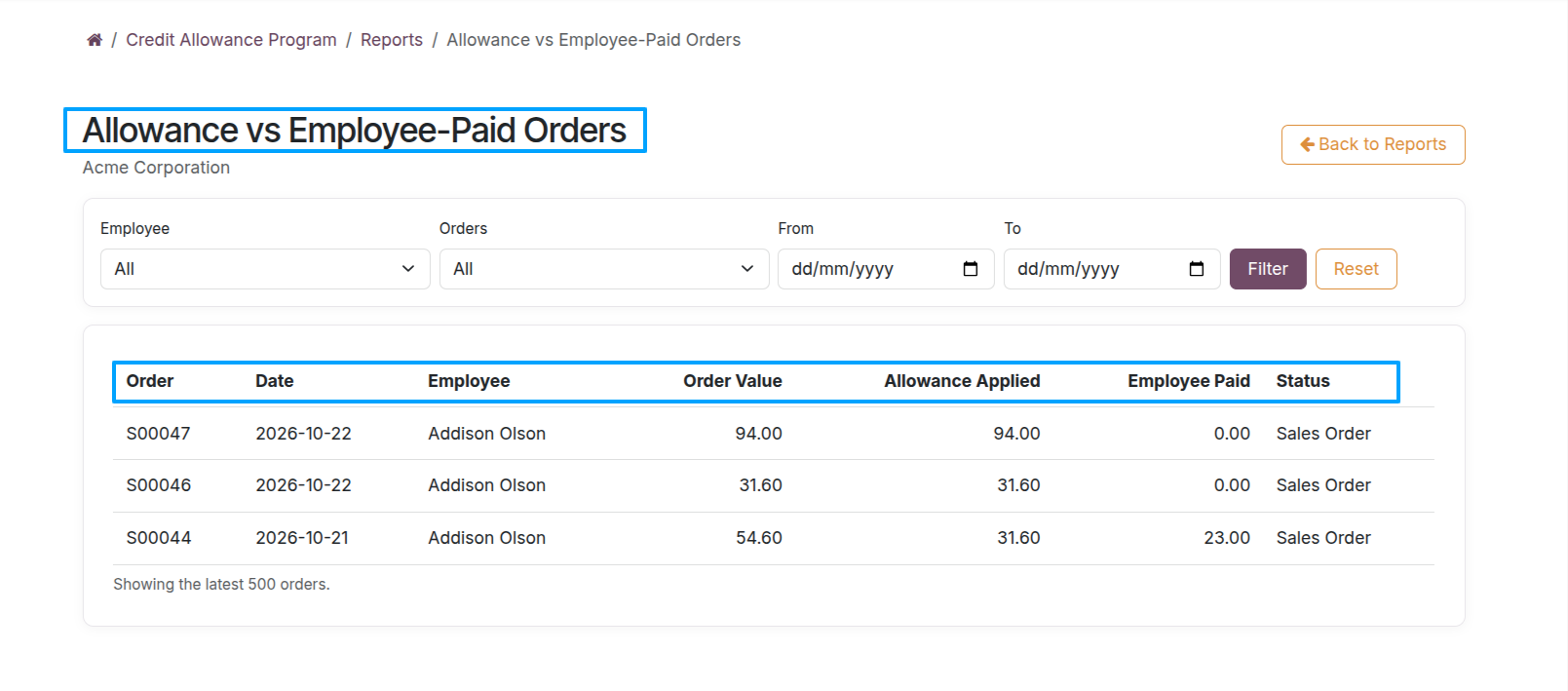
Allowance vs Employee-Paid Orders — Compare each order’s total value, allowance applied, employee-paid amount, and order status. Filter by employee, order, or date where available.
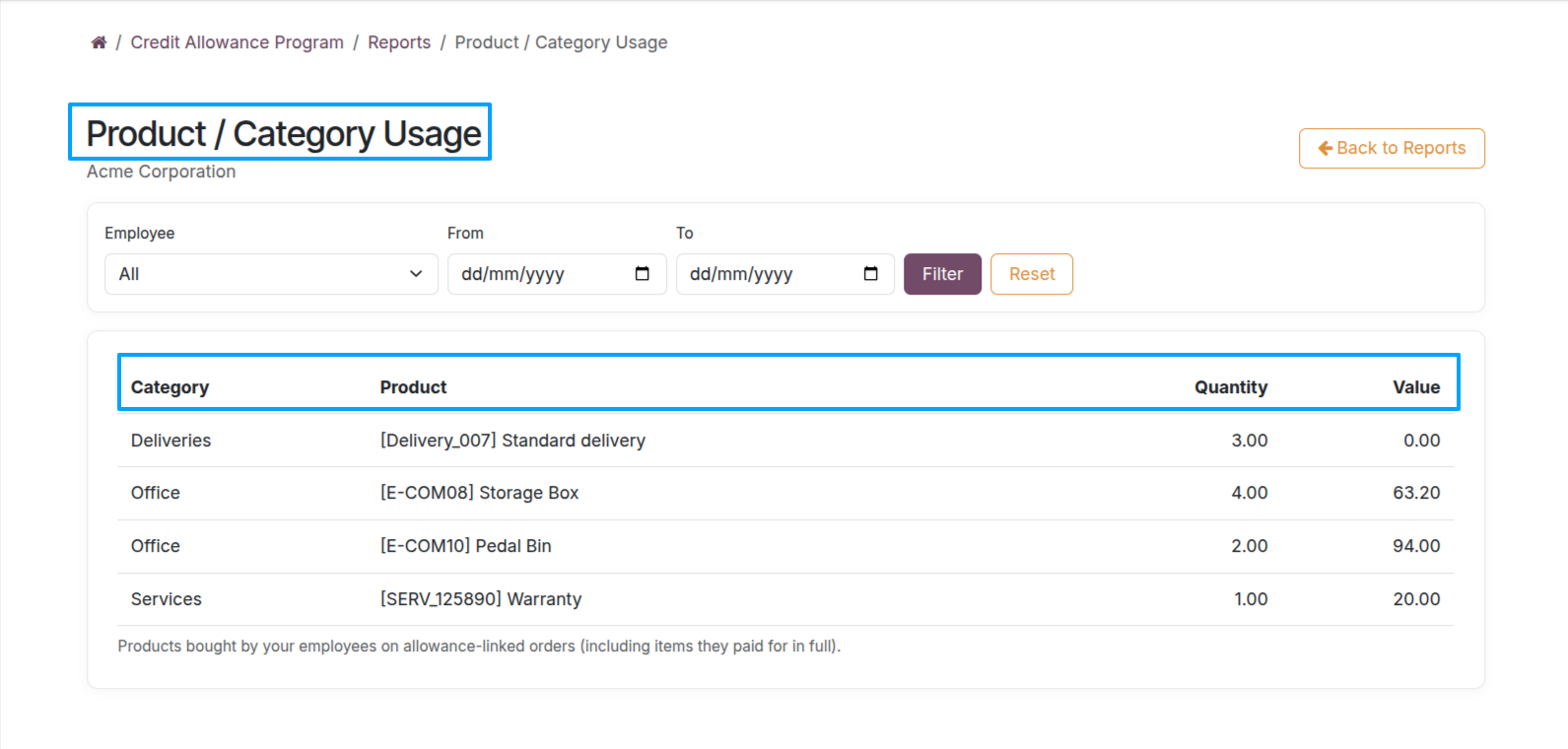
Product / Category Usage — Review purchased products by category, product name, quantity, and value, with available employee and date filters.
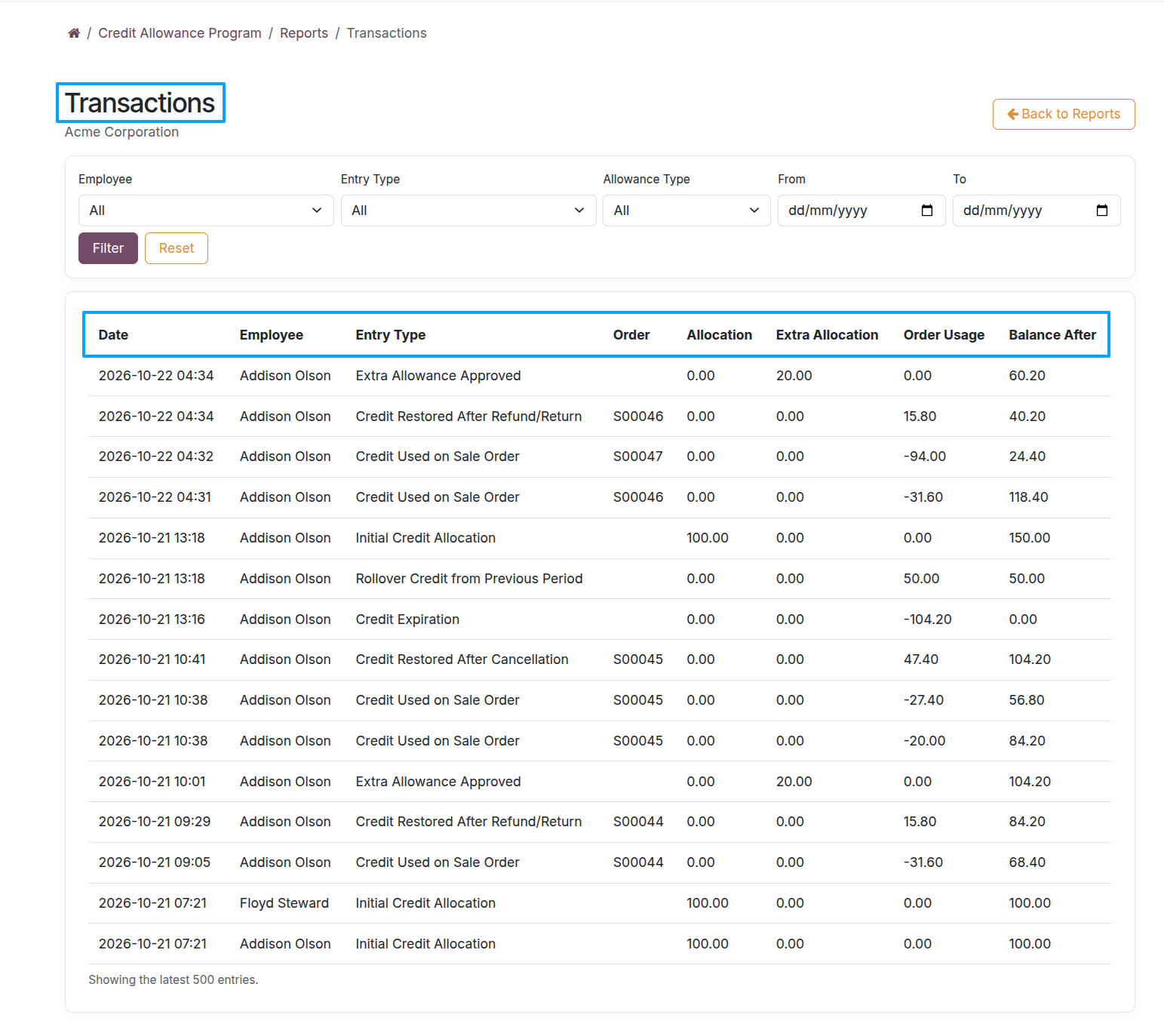
Product / Category Usage: View products purchased by employees, including Product Category, Product Name, Quantity, and Value, with filters for employees and date ranges, including products paid for by employees. Transactions Report : View employee-wise credit transactions, including Initial Allocation, Extra Allocation, Order Usage, Refunds, Cancellations, Rollover, Expiry, and Remaining Balance, with filters for employees, entry types, allowance types, and date ranges.
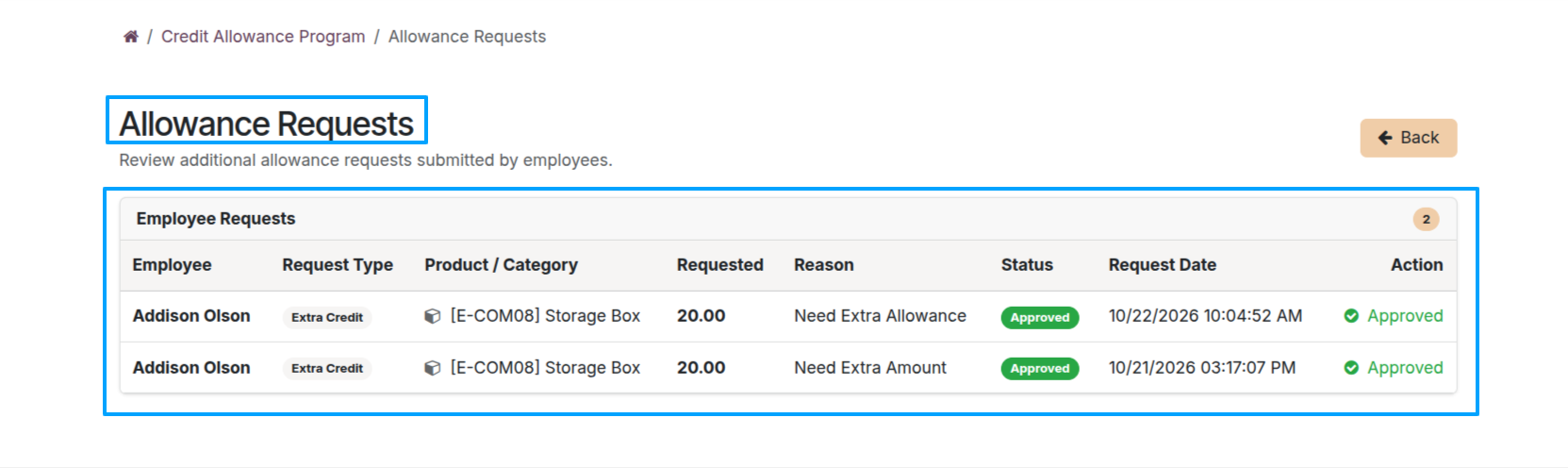
Override Requests & Approvals — Review requested extra allowances, products, reasons, approval statuses, and request dates.