The employee purchases an eligible product with the applicable allowance, completes checkout, and receives the order.
The resulting purchase appears under Order History with the allowance used and remaining balance.
Employees can view their purchased orders under Order History in the My Credit Allowance dashboard and check their updated Used Allowance and Remaining Balance after each purchase.
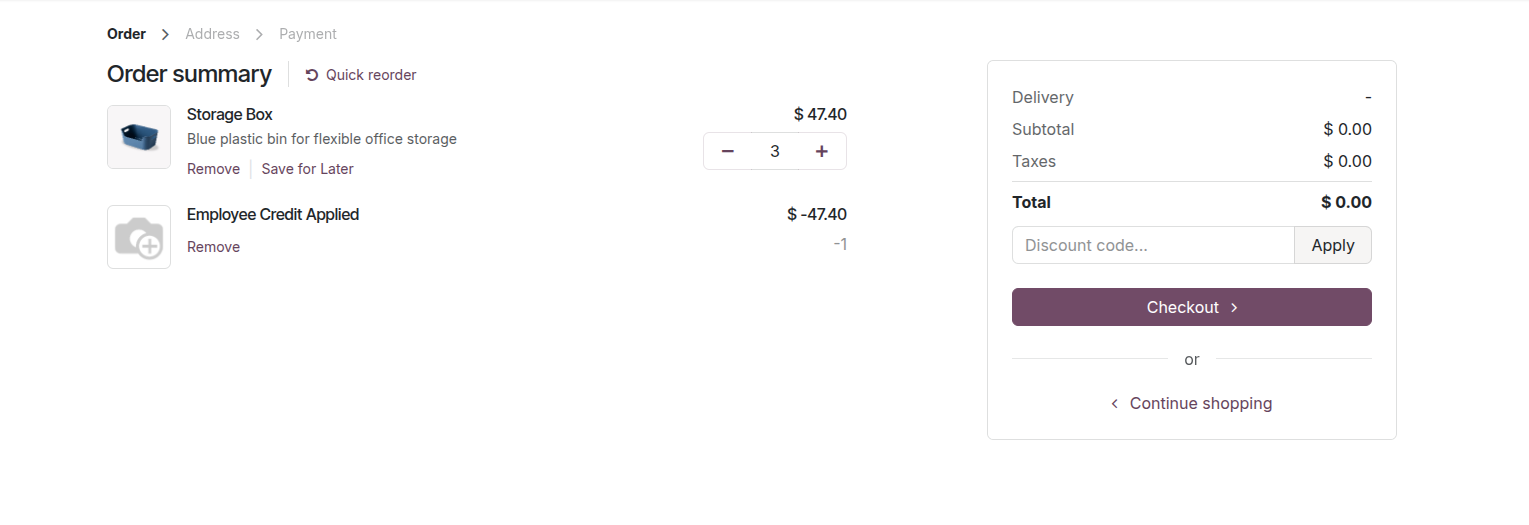
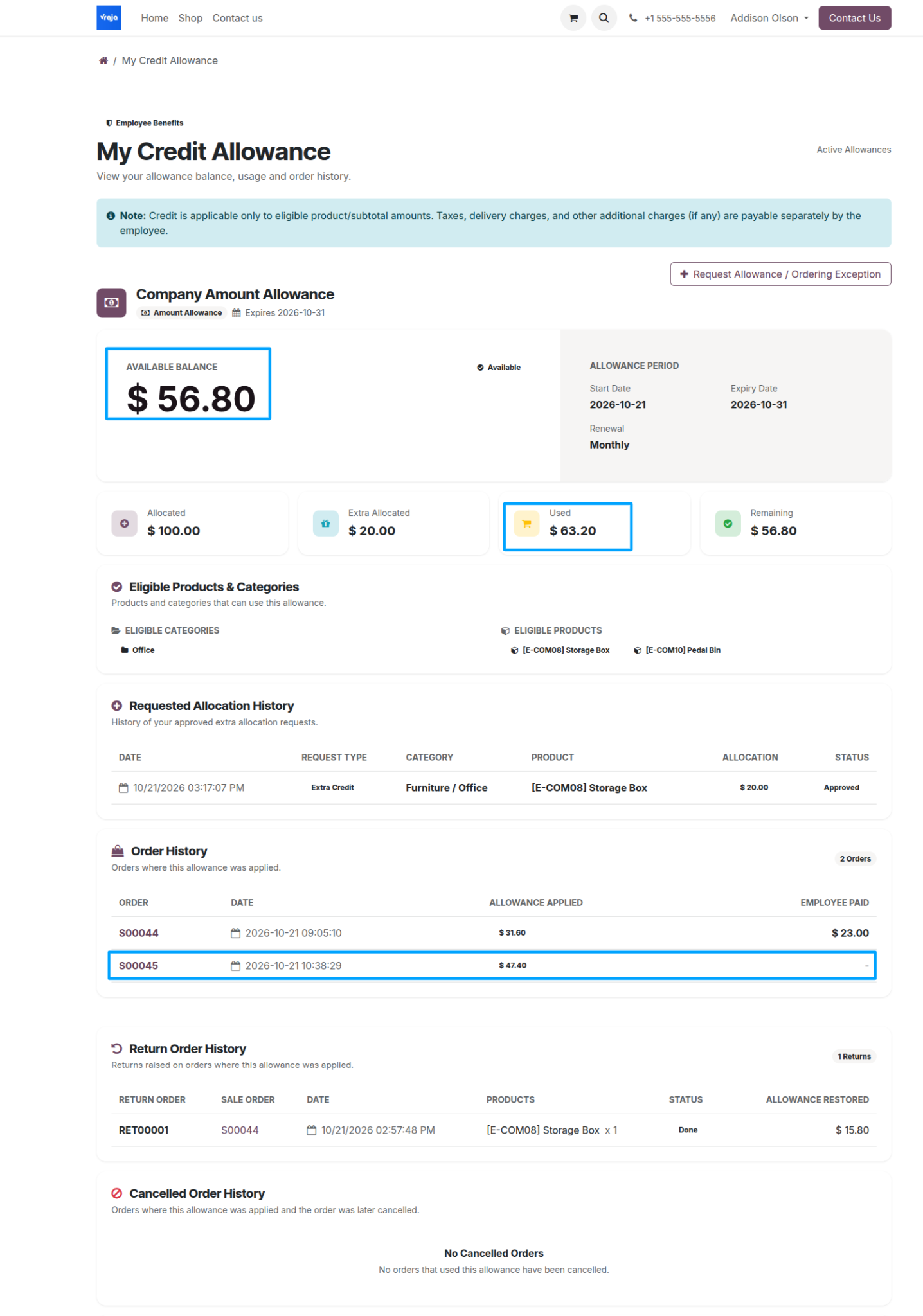
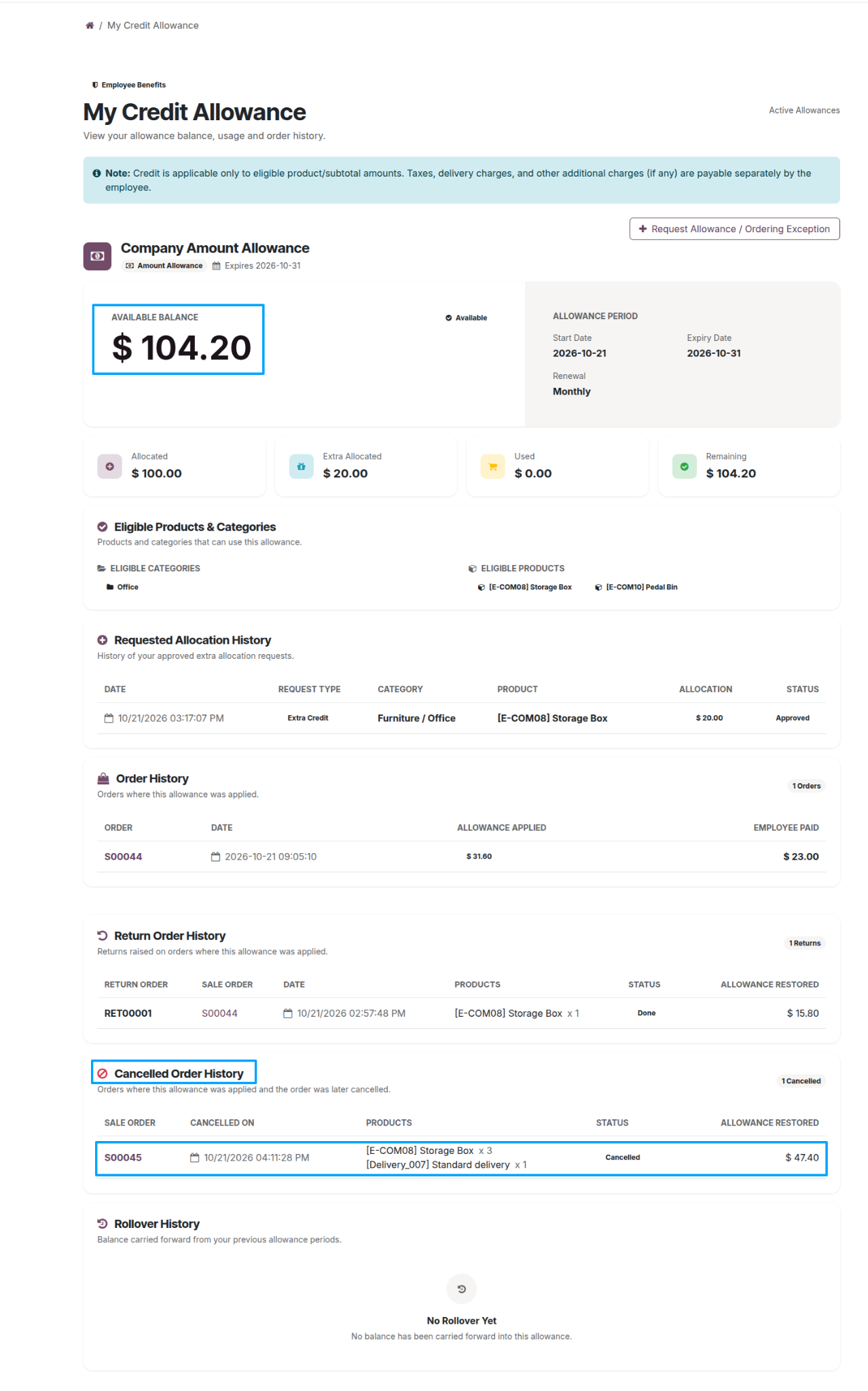
If a qualifying order is cancelled, the allowance applied to that order is restored to the employee’s available credit. The cancelled order appears in Cancelled Order History.
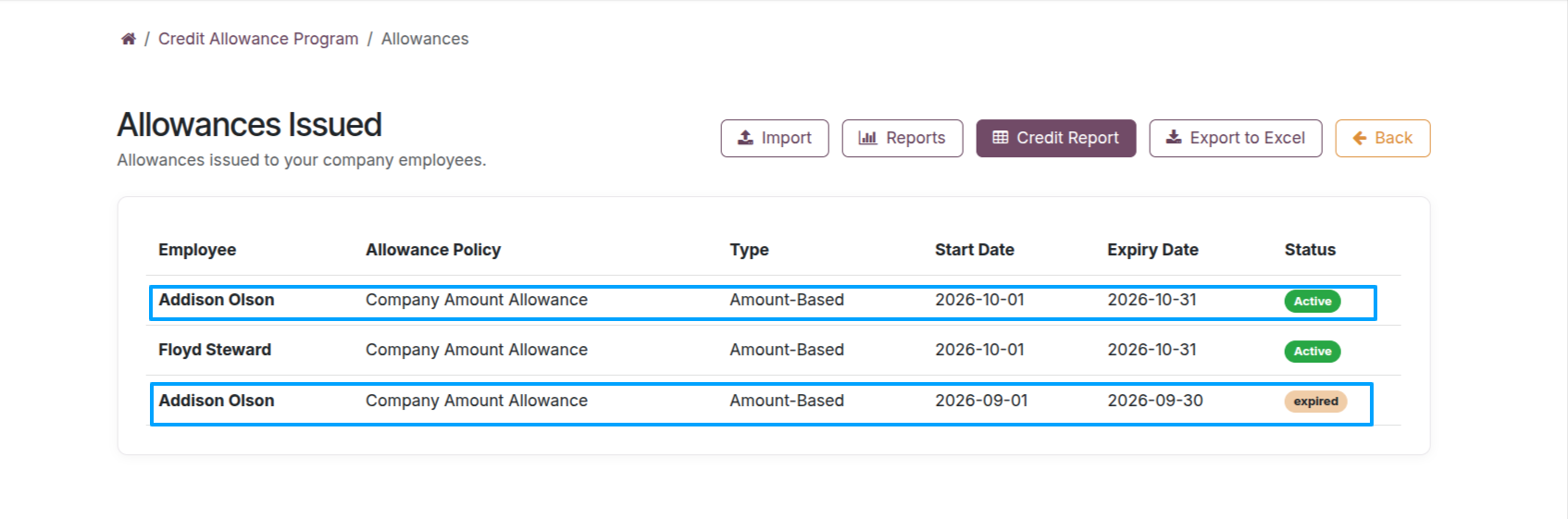
When an allowance reaches the end of its validity period, it appears as expired under Allowances Issued. The documented scheduled renewal process subsequently applies the configured policy rules.
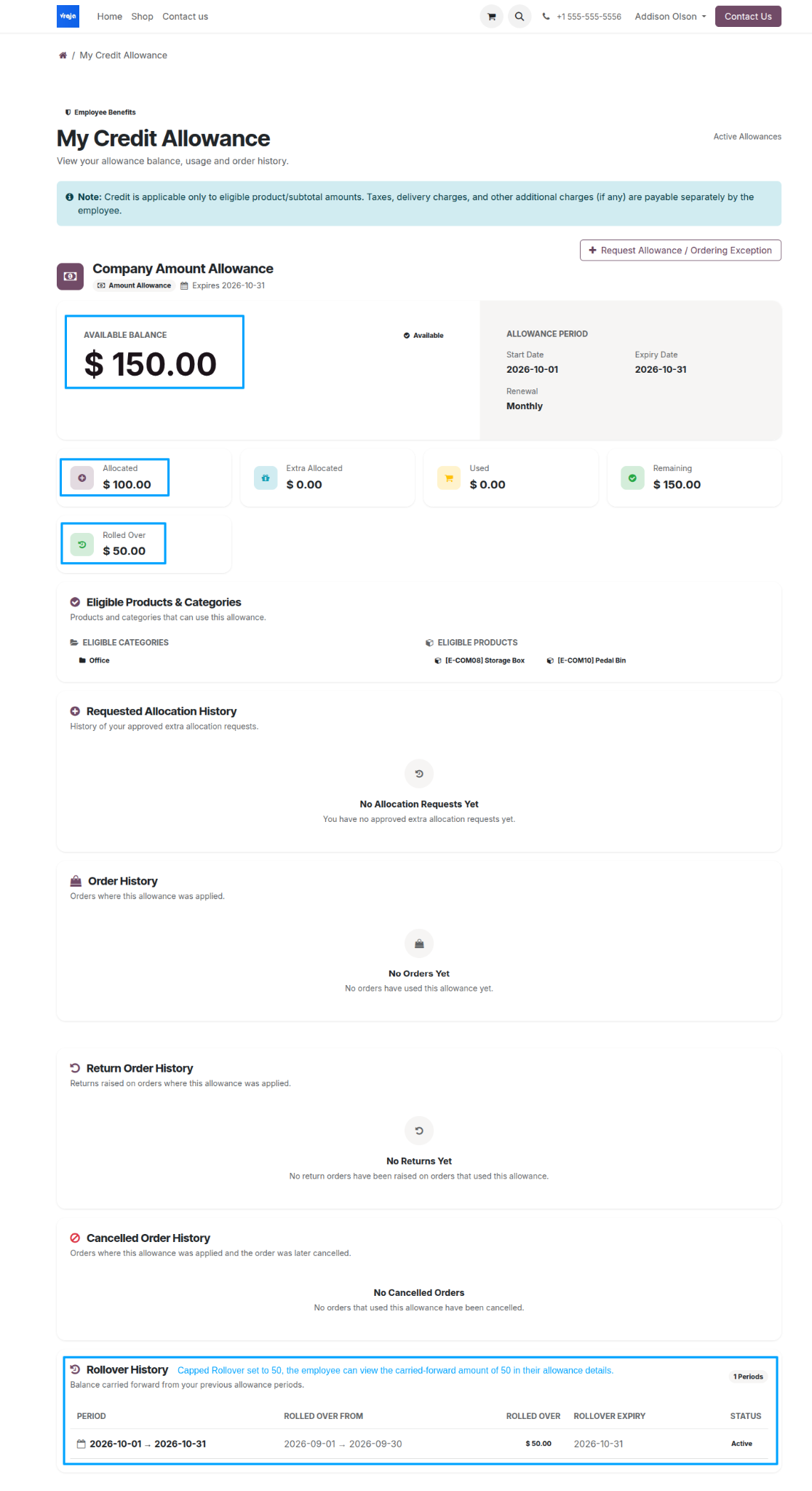
For monthly amount-based renewals, unused credit may carry forward to the next period up to the configured Capped Rollover limit.